

Diese Seite wurde automatisch übersetzt. Es kann daher zu Abweichungen oder Ungenauigkeiten im Text kommen. Verbindlich ist ausschließlich die Originalfassung. Rechtsansprüche aus Inhalten der übersetzten Version sind ausgeschlossen.

Sports badge

Dates 2026 for sports badge competitions for young and old

Dates

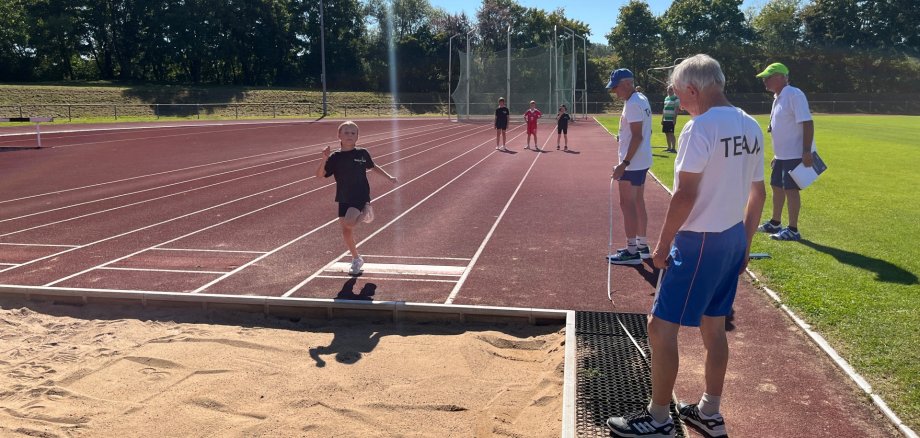
Training and assessment for athletics events/disciplines take place every Wednesday from 6.00 pm to 8.00 pm on the outdoor grounds of the Sickergrund Sports Centre in Kitzingen

May

June

July

August

September

06.05.

10.06.

01.07.

remains free

09.09.

20.05.

17.06.

08.07.


16.09.


24.07.

22.07.


29.07.


Training and assessment for the swimming exercises/disciplines take place every Sunday from 8.00 am at Aquasole (Kitzingen Indoor Swimming Pool). As entry is only permitted as a group, please ensure you arrive on time.

May

June

July

August

September

03.05.

14.06.

28.06.

12.07.

remains free

20.09.


Training and roll call for the cycling sessions take place every Sunday at 8.00 am (sharp) from the swimming pool car park in Kitzingen. (Helmets must be worn during the cycling sessions)

May

June

July

August

September

Remains free

07.06.


05.07.

26.07.

Remains free

13.09.


Contact us

Peter Neuweg
(spokesperson for the German Sports Badge scheme in the town of Kitzingen)

Am Mühlschutz 10, 97348 Rödelsee,
Tel. 09323-804011, Mobile: 0151-29071566,
Email: peterneuweg@gmx.de

There is also a WhatsApp group that anyone can join.

Further information

Help with accessibility

  • General

    We endeavour to make our website accessible. You can find details on this in our accessibility statement. You can send us suggestions for improvement via our feedback form Report accessibility.

  • Font size

    To adjust the font size, please use the following key combinations:

    Larger

    command
    +

    Smaller

    command

    Larger

    Ctrl
    +

    Smaller

    Ctrl
  • Keyboard navigation

    Use TAB and SHIFT + TAB to navigate through next/previous links, form elements, and buttons.

    Use ENTER to open links and interact with elements.

  • Contrast mode

    Press the following key combination to reduce or increase the contrast:

    Enlarge

    control
    option
    command
    .

    Decrease

    control
    option
    command
    ,
    Note: The shortcuts must be activated in the system settings of the operating system.

    Press the left ALT key + left SHIFT key + PRINT to quickly turn high contrast mode on or off.

  • Invert colours

    Press the following key combination to switch the colour inversion on and off:

    control
    option
    command
    8
    Note: The shortcuts must be activated in the system settings of the operating system.

    First activate the screen magnifier and then switch the colour inversion on and off with the following key combinations:

    1. screen magnifier

    +

    2. invert colours

    Ctrl
    Old
    I
  • Screen magnifier

    Press the following key combinations to use the screen magnifier:

    Switch on/off

    option
    command
    8

    Enlarge view

    option
    command
    =

    Zoom out view

    option
    command
    Note: The shortcuts must be activated in the system settings of the operating system.

    Switch on / Enlarge view

    +

    Zoom out view

Select language