

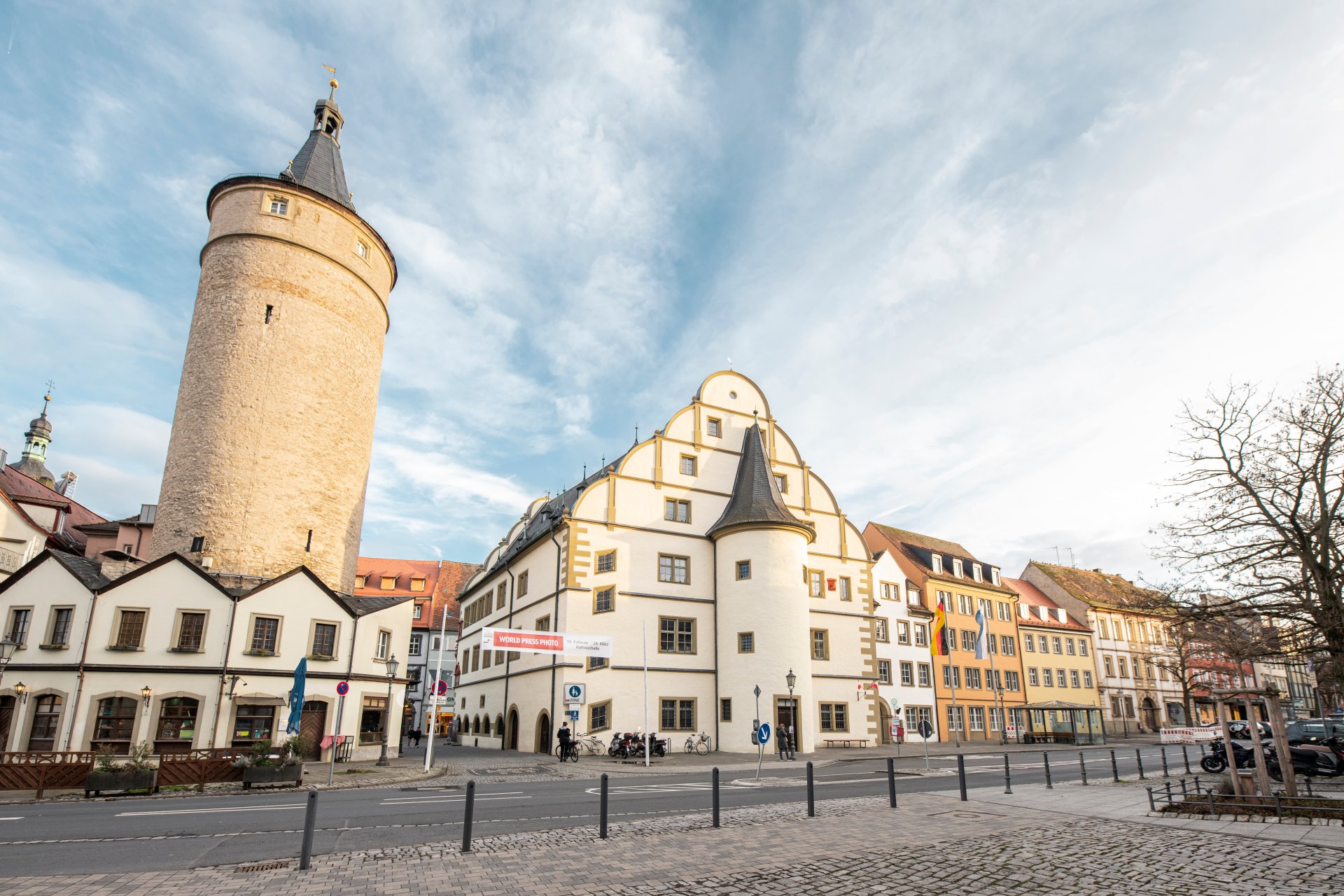
Market tower next to the historic town hall and the adjoining city administration in the other buildings.
Diese Seite wurde automatisch übersetzt. Es kann daher zu Abweichungen oder Ungenauigkeiten im Text kommen. Verbindlich ist ausschließlich die Originalfassung. Rechtsansprüche aus Inhalten der übersetzten Version sind ausgeschlossen.

Career

Work where others go on holiday - in Kitzingen!

Urban, Mediterranean and yet very Franconian - Kitzingen combines the best of many worlds. With around 23,000 inhabitants, our town is constantly growing and offers the perfect mix of quality of life, short distances and modern perspectives.

Just a stone's throw from the university city of Würzburg and part of the Nuremberg metropolitan region, Kitzingen boasts attractive construction projects, an excellent infrastructure and a wide range of educational and leisure facilities. No wonder we are considered particularly family-friendly!

Situated directly on the River Main, with unspoilt riverside areas, an impressive city skyline and a lively cultural and sports scene, Kitzingen offers an environment in which working and living are in perfect balance.

With over 350 employees, the administration of the large district town of Kitzingen is one of the largest and most diverse employers in the town. As a municipality, we take care of a wide range of public issues - from administration to social and cultural topics to technical challenges.

Kitzingen - where future, joie de vivre and career go together. Become part of our team and help us shape the Kitzingen of tomorrow! #teamstadtkitzingen

Apply now!

What we offer


With us, you not only benefit from a secure job in the public sector, but also from numerous advantages that make working for the town of Kitzingen particularly attractive:

  • 💼 A secure job in the public sector
  • 💰 Fair pay in accordance with the TVöD or BayBesG
  • 🎄 Various allowances, such as travel expenses and a Christmas bonus
  • 🕓 Flexible working hours through flexitime and working time accounts
  • 🏡 Flexible home working options
  • 📚 A wide range of training opportunities to support your personal and professional development
  • ❤️ Workplace health promotion (company sports, igb card, bike leasing via salary sacrifice)
  • 🐶 Dogs welcome in the office
  • 🌿 Company pension scheme
  • 🌴 30 days' holiday (based on a 5-day working week)
  • 🎉 Staff events and great benefits

Help with accessibility

  • General

    We endeavour to make our website accessible. You can find details on this in our accessibility statement. You can send us suggestions for improvement via our feedback form Report accessibility.

  • Font size

    To adjust the font size, please use the following key combinations:

    Larger

    command
    +

    Smaller

    command

    Larger

    Ctrl
    +

    Smaller

    Ctrl
  • Keyboard navigation

    Use TAB and SHIFT + TAB to navigate through next/previous links, form elements, and buttons.

    Use ENTER to open links and interact with elements.

  • Contrast mode

    Press the following key combination to reduce or increase the contrast:

    Enlarge

    control
    option
    command
    .

    Decrease

    control
    option
    command
    ,
    Note: The shortcuts must be activated in the system settings of the operating system.

    Press the left ALT key + left SHIFT key + PRINT to quickly turn high contrast mode on or off.

  • Invert colours

    Press the following key combination to switch the colour inversion on and off:

    control
    option
    command
    8
    Note: The shortcuts must be activated in the system settings of the operating system.

    First activate the screen magnifier and then switch the colour inversion on and off with the following key combinations:

    1. screen magnifier

    +

    2. invert colours

    Ctrl
    Old
    I
  • Screen magnifier

    Press the following key combinations to use the screen magnifier:

    Switch on/off

    option
    command
    8

    Enlarge view

    option
    command
    =

    Zoom out view

    option
    command
    Note: The shortcuts must be activated in the system settings of the operating system.

    Switch on / Enlarge view

    +

    Zoom out view

Select language