Diese Seite wurde automatisch übersetzt. Es kann daher zu Abweichungen oder Ungenauigkeiten im Text kommen. Verbindlich ist ausschließlich die Originalfassung. Rechtsansprüche aus Inhalten der übersetzten Version sind ausgeschlossen.

Announcement

Leasing of agricultural land

The town of Kitzingen intends to let various plots of land from 1 January 2027.
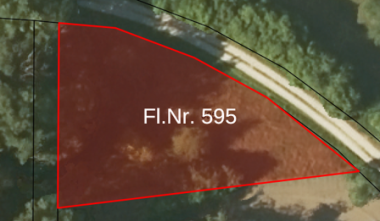
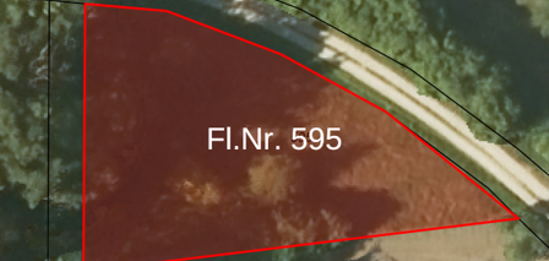
Outline of parcel number 595 on a map.
City of Kitzingen

(a) Parcel numbers 595 (0.0918 ha) in the ‘Tännig’ area,

A mixed-fruit orchard used for extensive farming;

Hohenfeld municipal area


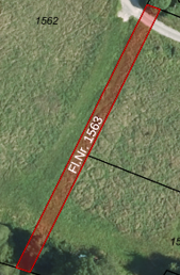
(b) Parcel numbers 1562 (0.5293 ha) and 1563 (0.0327 ha), ‘Südtangente’ area, used as grassland

(can only be leased together)

Hohenfeld municipal area
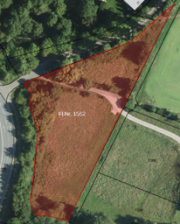
Outline of parcel number 1562 on a map.
City of Kitzingen
Outline of parcel number 1563 on a map.
City of Kitzingen
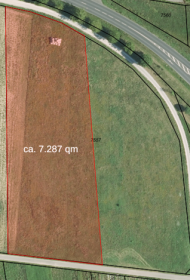
Outline of parcel number 7557 on a map.
City of Kitzingen

(c) Part of plot number 7557 (approx. 0.7287 ha) at ‘Panzerstraße’, arable land

Kitzingen municipal area


Offers for individual plots are possible.

Please submit written tenders by 6 December 2026 to the Town of Kitzingen – Property Management – for the attention of Mr Heinkel – Kaiserstraße 13/15, 97318 Kitzingen, or by email to liegenschaften@stadt-kitzingen.de.

Bids received after this deadline cannot be considered.

Help with accessibility

  • General

    We endeavour to make our website accessible. You can find details on this in our accessibility statement. You can send us suggestions for improvement via our feedback form Report accessibility.

  • Font size

    To adjust the font size, please use the following key combinations:

    Larger

    ⌘command
    +

    Smaller

    ⌘command
    –

    Larger

    Ctrl
    +

    Smaller

    Ctrl
    –
  • Keyboard navigation

    Use TAB and SHIFT + TAB to navigate through next/previous links, form elements, and buttons.

    Use ENTER to open links and interact with elements.

  • Contrast mode

    Press the following key combination to reduce or increase the contrast:

    Enlarge

    ⌃control
    ⌥option
    ⌘command
    .

    Decrease

    ⌃control
    ⌥option
    ⌘command
    ,
    Note: The shortcuts must be activated in the system settings of the operating system.

    Press the left ALT key + left SHIFT key + PRINT to quickly turn high contrast mode on or off.

  • Invert colours

    Press the following key combination to switch the colour inversion on and off:

    ⌃control
    ⌥option
    ⌘command
    8
    Note: The shortcuts must be activated in the system settings of the operating system.

    First activate the screen magnifier and then switch the colour inversion on and off with the following key combinations:

    1. screen magnifier

    +

    2. invert colours

    Ctrl
    Old
    I
  • Screen magnifier

    Press the following key combinations to use the screen magnifier:

    Switch on/off

    ⌥option
    ⌘command
    8

    Enlarge view

    ⌥option
    ⌘command
    =

    Zoom out view

    ⌥option
    ⌘command
    –
    Note: The shortcuts must be activated in the system settings of the operating system.

    Switch on / Enlarge view

    +

    Zoom out view

    –