Diese Seite wurde automatisch übersetzt. Es kann daher zu Abweichungen oder Ungenauigkeiten im Text kommen. Verbindlich ist ausschließlich die Originalfassung. Rechtsansprüche aus Inhalten der übersetzten Version sind ausgeschlossen.

Fête de la musique - Fest der Musik
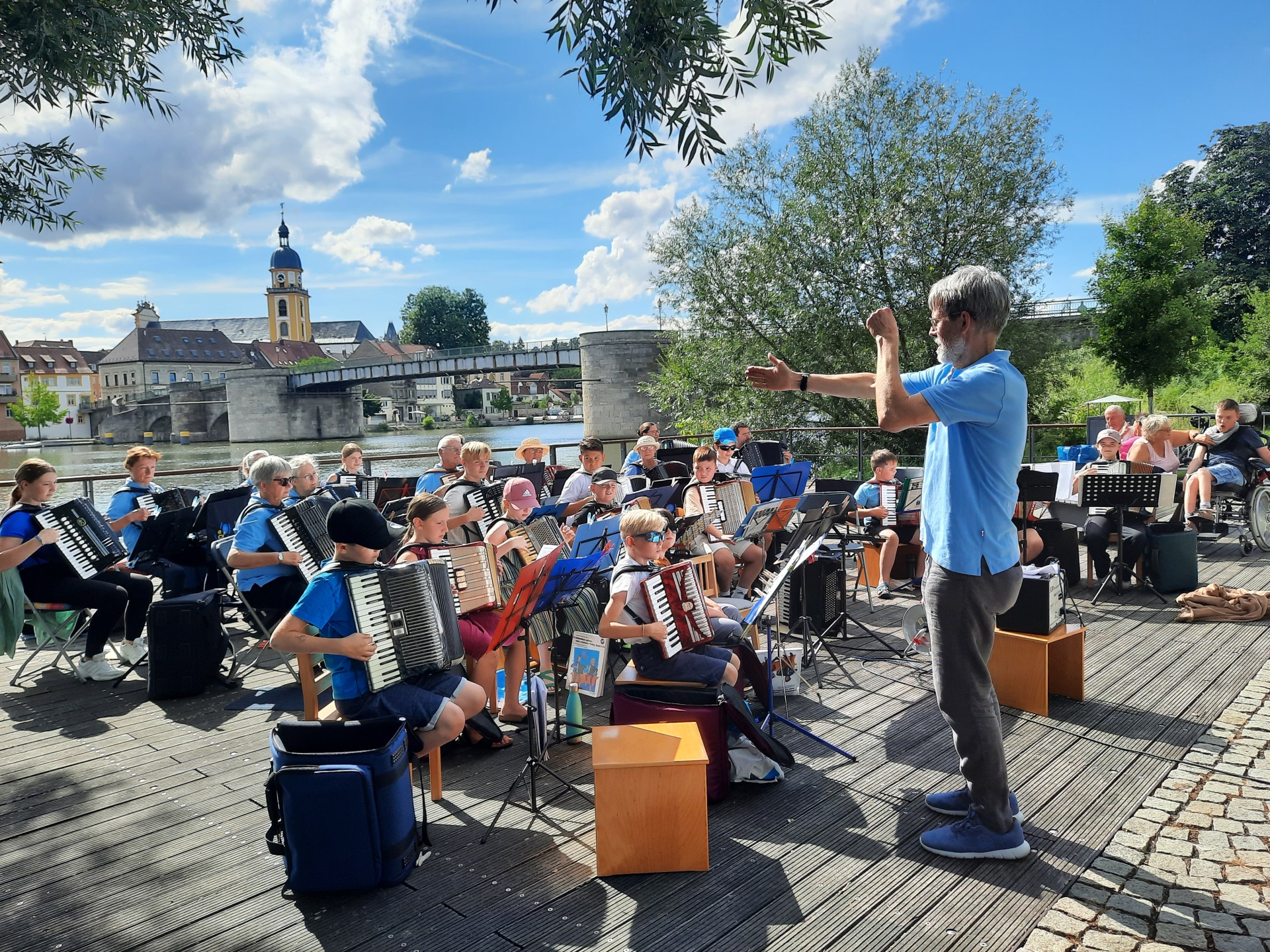
Matthias Lux is conducting the accordion group from the music school on the Stadtbalkon.
Music & Dance

Category: Music & Dance

Fête de la musique - Fest der Musik

Stadtbalkon
11:00 Uhr | Eröffnung am Stadtbalkon durch Herrn Oberbürgermeister Dr. Enis Tiz
11:00 Uhr bis 14:30 Uhr | Musikschule der Stadt Kitzingen:
Akkordeongruppe, Cello-, Querflöten-, Blechblas-, Gitarren- und Saxofonensembles, Percussionensemble sowie Kinderband „YoungKitziGroovers“

Marktplatz
11:30 Uhr bis 14:30 Uhr | Im Wechsel: Kolping-Musik-Corps Kitzingen & Fränkische Volkstanzgruppe Kitzingen e. V.

Bürgerzentrum
13:00 Uhr | Sina
13:40 Uhr | Jolly Alehouse | Irish Folk
14:20 Uhr | Flo van Tastiko | Deutsch-Pop
15:00 Uhr | Robert Wagner | Pop/Folk
15:40 Uhr | Niklas & Friends | Deutsch-Pop
16:20 Uhr | Allica | Deutsch-Pop
17:00 Uhr | Green Team | Oldies, Pop, Schlager

Haus für Jugend und Familie
Ab 15 Uhr Valentina | Acoustic Pop-Cover Choking Hazard | Melodic Metal Sabrina | Acoustic Pop-Cover Restart | Evergreen Coversongs Zwanni | Rap

Eintritt frei | Verpflegung an allen Standorten
Wir freuen uns auf Ihren Besuch!

Datum:21. Juni 2026

Uhrzeit:11:00 - 21:30 Uhr

Free

Organiser

Friends of Kitzingen’s Twin Towns Association

+49932124890

info@partnerschaftsverein-kitzingen.de

partnerschaftsverein-kitzingen.de

  • Music School City of Kitzingen

Help with accessibility

  • General

    We endeavour to make our website accessible. You can find details on this in our accessibility statement. You can send us suggestions for improvement via our feedback form Report accessibility.

  • Font size

    To adjust the font size, please use the following key combinations:

    Larger

    command
    +

    Smaller

    command

    Larger

    Ctrl
    +

    Smaller

    Ctrl
  • Keyboard navigation

    Use TAB and SHIFT + TAB to navigate through next/previous links, form elements, and buttons.

    Use ENTER to open links and interact with elements.

  • Contrast mode

    Press the following key combination to reduce or increase the contrast:

    Enlarge

    control
    option
    command
    .

    Decrease

    control
    option
    command
    ,
    Note: The shortcuts must be activated in the system settings of the operating system.

    Press the left ALT key + left SHIFT key + PRINT to quickly turn high contrast mode on or off.

  • Invert colours

    Press the following key combination to switch the colour inversion on and off:

    control
    option
    command
    8
    Note: The shortcuts must be activated in the system settings of the operating system.

    First activate the screen magnifier and then switch the colour inversion on and off with the following key combinations:

    1. screen magnifier

    +

    2. invert colours

    Ctrl
    Old
    I
  • Screen magnifier

    Press the following key combinations to use the screen magnifier:

    Switch on/off

    option
    command
    8

    Enlarge view

    option
    command
    =

    Zoom out view

    option
    command
    Note: The shortcuts must be activated in the system settings of the operating system.

    Switch on / Enlarge view

    +

    Zoom out view

Select language