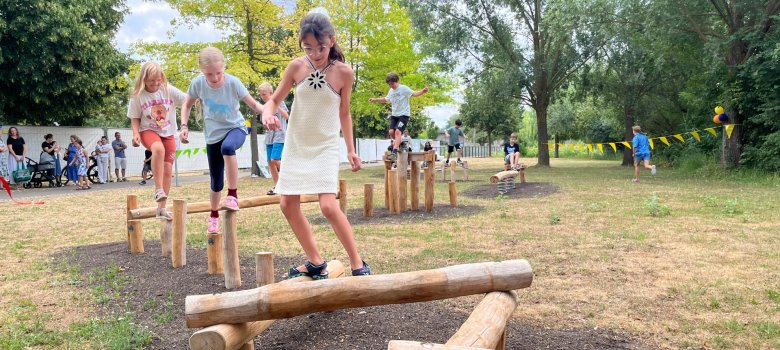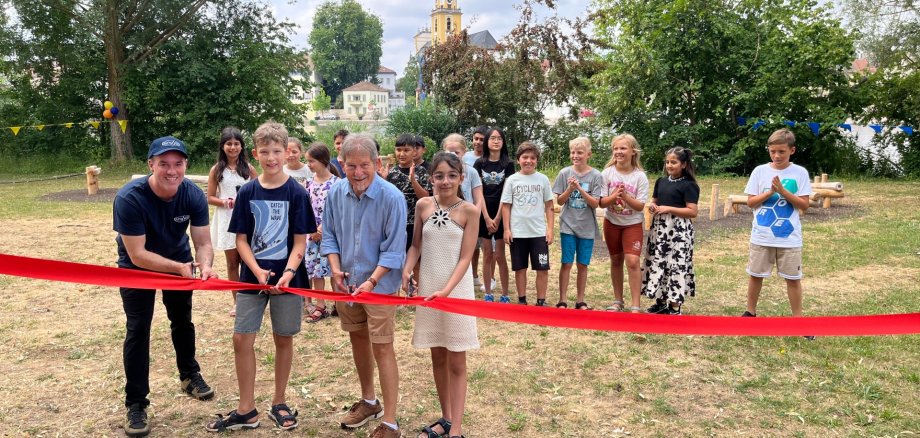
It is both a place to relax and a place of remembrance. On Tuesday 30 June, a Children’s Rights Trail was opened on the site of the former garden show grounds, between the Old Main Bridge and the motorhome park. Signs highlight the wide-ranging rights of the youngest members of our society, whilst the children themselves can balance on the various obstacles to their heart’s content.
That is exactly what the children in Class 4d at St Hedwig Primary School did at the official opening. In the run-up to the event, they had helped the staff at the local youth welfare service ‘JungStil’ to plan the trail and organise the small celebration. “Your voice counts,” emphasised JungStil director Jochen Kulczynski, addressing the children. “You can and should have a say in our town. We’d be delighted to involve you in other projects too.”
Deputy District Administrator Margit Hofmann spoke of a new attraction on the “wonderful Bleichwasen site”. She said it takes courage, skill and a steady footing to use the balance trail. It presents a challenge not only for children but also for adults. It is undisputed that children need their own rights. “And that means they also have a say in our society.” Mayor Walter Vierrether praised the swift implementation and how well it blends into the local environment, alongside other play equipment and the ‘Roter Platz’ in the immediate vicinity. The Children’s Rights Trail provides a welcome balance to school and learning for Kitzingen’s youngest residents. It was made possible thanks to generous donations from the Sparkassenstiftung, the ‘Stiftung unser Kitzingen’ and a grant from ‘Inner Wheel’.
A total of ten signs highlight children’s rights in our society. Jochen Kulczynski pointed out that upholding these rights is not only a matter close to the heart of a local authority such as Kitzingen, but has also become a statutory duty due to legal requirements, before giving the children the go-ahead. The children had listened to the adults for long enough and now actively exercised their right to explore the balance trail.
The ten selected children’s rights:
Support for people with disabilities
Protection in times of war and when fleeing
Parental care
Privacy
Protection against violence
Opportunities for play and leisure
Health, clean water, a healthy diet
Freedom of expression and freedom of information
Equal treatment
A good school education
Further information on the town’s involvement and the Convention on the Rights of the Child is available via a QR code on the signs or on the Kitzingen town website: www.stadt-kitzingen.de