Diese Seite wurde automatisch übersetzt. Es kann daher zu Abweichungen oder Ungenauigkeiten im Text kommen. Verbindlich ist ausschließlich die Originalfassung. Rechtsansprüche aus Inhalten der übersetzten Version sind ausgeschlossen.

Gute Tat

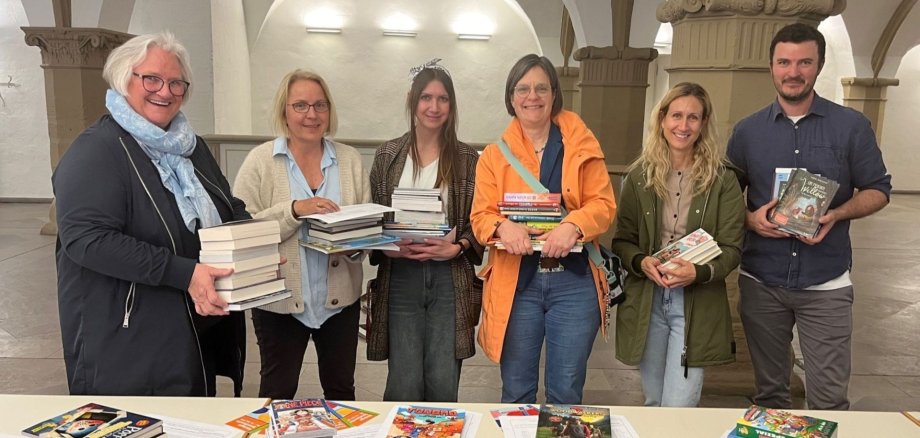
Glückliche Kinder dank Bücherspenden

In den beiden Kitzinger Buchhandlungen - Schöningh und Buchladen Seite 1 - konnten Bürgerinnen und Bürger auch heuer wieder während der Sprachwoche eine Karte von Grundschulkindern am Bücherbaum „pflücken“. Auf unkomplizierte Art und Weise konnte den kleinen Mitbürgern so mit dem Kauf eines Buches eine Freude gemacht werden. Rund 180 Buchwünsche gingen dank der Aktion in diesem Jahr in Erfüllung. Einen Teil daran trägt die ökumenische Hilfsaktion „Kindern ein Lächeln schenken“, die von Anfang an die Hilfsaktion begleitet. Eine Spende vom Verein SieNet in Höhe von 100 Euro finanziert diese Bücheraktion ebenfalls mit. Mit 150 Euro hat „Inner Wheel“ die Aktion unterstützt. In diesem Jahr haben wieder die Kinder der 4. Klassen der St. Hedwig-Grundschule, der Grundschule Siedlung, der Erich-Kästner- und St. Martin-Schule sowie der Montessori-Schule von dem Engagement und den Buch-Spenden der Bevölkerung profitiert.

Help with accessibility

  • General

    We endeavour to make our website accessible. You can find details on this in our accessibility statement. You can send us suggestions for improvement via our feedback form Report accessibility.

  • Font size

    To adjust the font size, please use the following key combinations:

    Larger

    command
    +

    Smaller

    command

    Larger

    Ctrl
    +

    Smaller

    Ctrl
  • Keyboard navigation

    Use TAB and SHIFT + TAB to navigate through next/previous links, form elements, and buttons.

    Use ENTER to open links and interact with elements.

  • Contrast mode

    Press the following key combination to reduce or increase the contrast:

    Enlarge

    control
    option
    command
    .

    Decrease

    control
    option
    command
    ,
    Note: The shortcuts must be activated in the system settings of the operating system.

    Press the left ALT key + left SHIFT key + PRINT to quickly turn high contrast mode on or off.

  • Invert colours

    Press the following key combination to switch the colour inversion on and off:

    control
    option
    command
    8
    Note: The shortcuts must be activated in the system settings of the operating system.

    First activate the screen magnifier and then switch the colour inversion on and off with the following key combinations:

    1. screen magnifier

    +

    2. invert colours

    Ctrl
    Old
    I
  • Screen magnifier

    Press the following key combinations to use the screen magnifier:

    Switch on/off

    option
    command
    8

    Enlarge view

    option
    command
    =

    Zoom out view

    option
    command
    Note: The shortcuts must be activated in the system settings of the operating system.

    Switch on / Enlarge view

    +

    Zoom out view

Select language