Diese Seite wurde automatisch übersetzt. Es kann daher zu Abweichungen oder Ungenauigkeiten im Text kommen. Verbindlich ist ausschließlich die Originalfassung. Rechtsansprüche aus Inhalten der übersetzten Version sind ausgeschlossen.

Theater

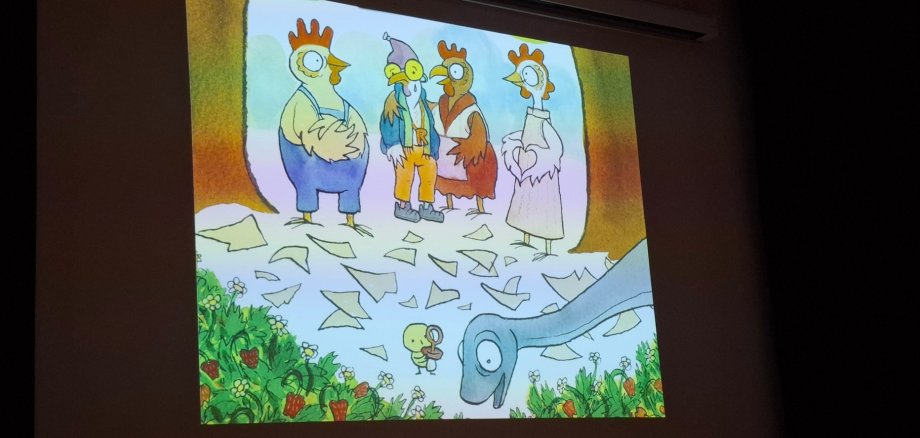
Rap-Huhn begeistert Kinder

Es war ein besonderes Mitmachtheater im Rahmen der Kitzinger Sprachwoche: 150 Kinder der Kitzinger Kindergärten folgten am Donnerstag, 7. Mai der Einladung in die FastnachtAkademie – und machten fleißig mit bei Patricia Prawit und ihrer Geschichte vom „Rap-Huhn.“ Es wurde gegackert, gerappt und alles Gemüse, Obst und vor allem das Stadtleben genau unter die Lupe genommen. Beeindruckend das Ausbrüten eines großen Eies und die Auferstehung eines allesfressenden Dinos. Die „Akademie" tobte... Am Ende gab es riesigen Applaus und für alle Kindergärten noch jeweils 10 Kindermalbücher, gesponsert vom Mehrgenerationenhaus St. Elisabeth. Die Sprachwoche geht noch bis zum 13. Mai. Alle Termine unter www.stadt-kitzingen.de  

Help with accessibility

  • General

    We endeavour to make our website accessible. You can find details on this in our accessibility statement. You can send us suggestions for improvement via our feedback form Report accessibility.

  • Font size

    To adjust the font size, please use the following key combinations:

    Larger

    command
    +

    Smaller

    command

    Larger

    Ctrl
    +

    Smaller

    Ctrl
  • Keyboard navigation

    Use TAB and SHIFT + TAB to navigate through next/previous links, form elements, and buttons.

    Use ENTER to open links and interact with elements.

  • Contrast mode

    Press the following key combination to reduce or increase the contrast:

    Enlarge

    control
    option
    command
    .

    Decrease

    control
    option
    command
    ,
    Note: The shortcuts must be activated in the system settings of the operating system.

    Press the left ALT key + left SHIFT key + PRINT to quickly turn high contrast mode on or off.

  • Invert colours

    Press the following key combination to switch the colour inversion on and off:

    control
    option
    command
    8
    Note: The shortcuts must be activated in the system settings of the operating system.

    First activate the screen magnifier and then switch the colour inversion on and off with the following key combinations:

    1. screen magnifier

    +

    2. invert colours

    Ctrl
    Old
    I
  • Screen magnifier

    Press the following key combinations to use the screen magnifier:

    Switch on/off

    option
    command
    8

    Enlarge view

    option
    command
    =

    Zoom out view

    option
    command
    Note: The shortcuts must be activated in the system settings of the operating system.

    Switch on / Enlarge view

    +

    Zoom out view

Select language