Diese Seite wurde automatisch übersetzt. Es kann daher zu Abweichungen oder Ungenauigkeiten im Text kommen. Verbindlich ist ausschließlich die Originalfassung. Rechtsansprüche aus Inhalten der übersetzten Version sind ausgeschlossen.

Call for donations

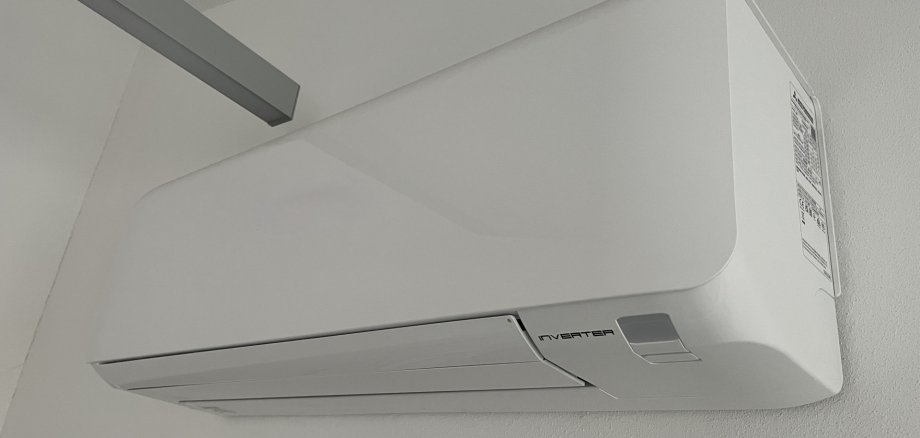
Air-conditioning units for primary schools

The high temperatures have taken their toll on all the residents of Kitzingen this summer. Children in primary schools have been particularly affected. Some classrooms heat up especially quickly due to direct sunlight. “Teaching in such conditions is a real struggle for both children and teachers,” says Mayor Dr Enis Tiz. Together with the town council, he is looking into installing air-conditioning units in all the classrooms that are particularly exposed to the sun. Each air-conditioning unit costs around 1,000 euros. At the first business roundtable at the town hall, a number of local business owners had already signalled their support. A fundraising campaign is intended to enable the purchase of further air-conditioning units. “It would be great if we could raise enough money by Christmas to purchase the necessary air-conditioning units,” says Dr Tiz, asking the public for their support. Please make donations, quoting the reference “Air conditioning units for our primary school pupils”, to the City of Kitzingen, bank details: Sparkasse Mainfranken, IBAN: DE 19 7905 0000 0000 0020 30; BIC: BYLADEM1SWU. A donation receipt can be issued for donations of 200 euros or more. Please email steuer@stadt-kitzingen.de.

Help with accessibility

  • General

    We endeavour to make our website accessible. You can find details on this in our accessibility statement. You can send us suggestions for improvement via our feedback form Report accessibility.

  • Font size

    To adjust the font size, please use the following key combinations:

    Larger

    ⌘command
    +

    Smaller

    ⌘command
    –

    Larger

    Ctrl
    +

    Smaller

    Ctrl
    –
  • Keyboard navigation

    Use TAB and SHIFT + TAB to navigate through next/previous links, form elements, and buttons.

    Use ENTER to open links and interact with elements.

  • Contrast mode

    Press the following key combination to reduce or increase the contrast:

    Enlarge

    ⌃control
    ⌥option
    ⌘command
    .

    Decrease

    ⌃control
    ⌥option
    ⌘command
    ,
    Note: The shortcuts must be activated in the system settings of the operating system.

    Press the left ALT key + left SHIFT key + PRINT to quickly turn high contrast mode on or off.

  • Invert colours

    Press the following key combination to switch the colour inversion on and off:

    ⌃control
    ⌥option
    ⌘command
    8
    Note: The shortcuts must be activated in the system settings of the operating system.

    First activate the screen magnifier and then switch the colour inversion on and off with the following key combinations:

    1. screen magnifier

    +

    2. invert colours

    Ctrl
    Old
    I
  • Screen magnifier

    Press the following key combinations to use the screen magnifier:

    Switch on/off

    ⌥option
    ⌘command
    8

    Enlarge view

    ⌥option
    ⌘command
    =

    Zoom out view

    ⌥option
    ⌘command
    –
    Note: The shortcuts must be activated in the system settings of the operating system.

    Switch on / Enlarge view

    +

    Zoom out view

    –