Diese Seite wurde automatisch übersetzt. Es kann daher zu Abweichungen oder Ungenauigkeiten im Text kommen. Verbindlich ist ausschließlich die Originalfassung. Rechtsansprüche aus Inhalten der übersetzten Version sind ausgeschlossen.

Ausgabe der Gemüsekiste
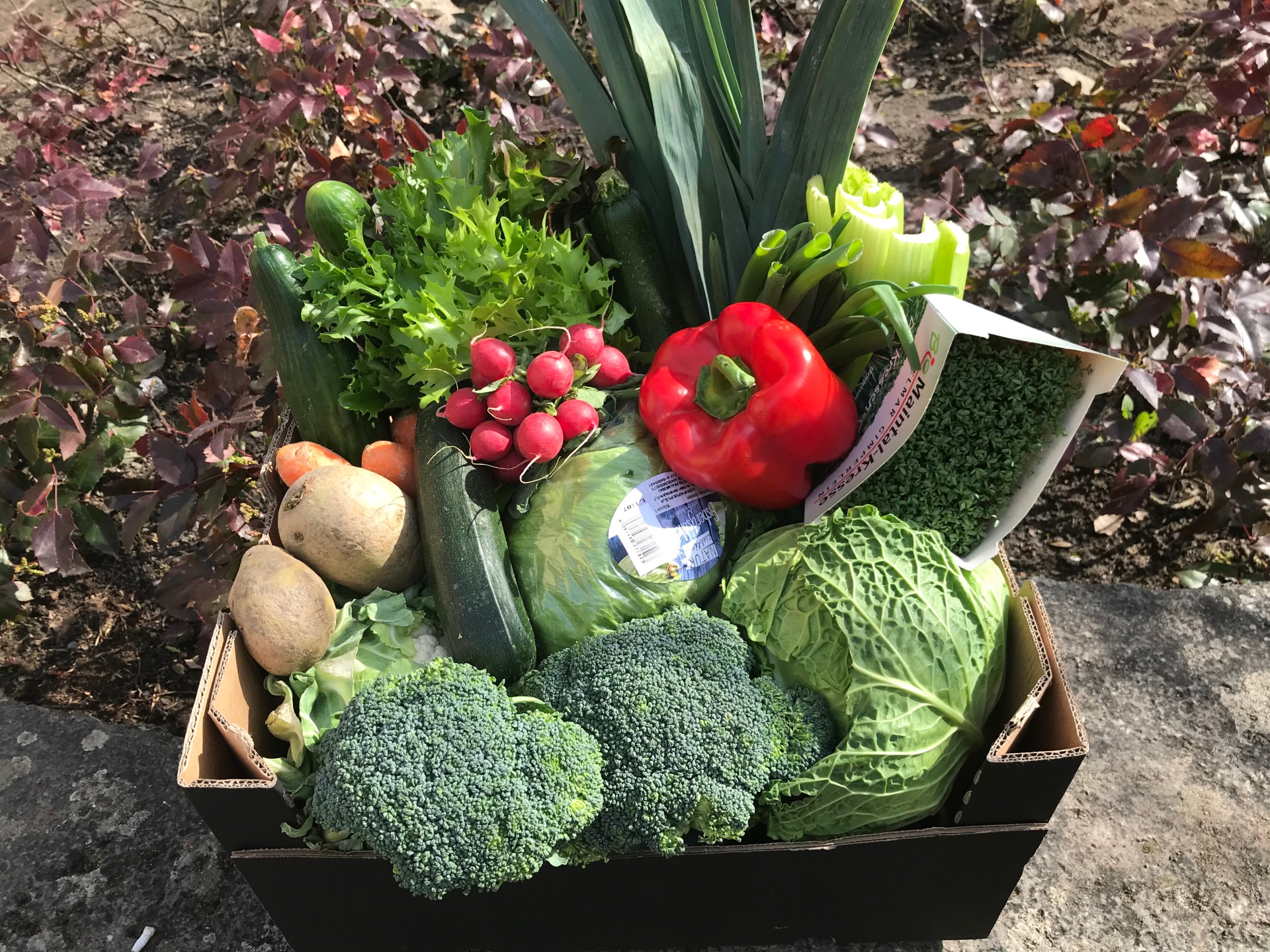
Gemüsekiste mit Kohl, Salat, Paprika, Radieschen, Kartoffeln, Brokkoli, Lauch, Karotten und Kresse.
Citizenship & Engagement

Category: Citizenship & Engagement

Ausgabe der Gemüsekiste

Ehrenamtliche Helfer um Bürgermeisterin Astrid Glos und Bürgermeister Manfred Freitag haben zusammen mit den beiden Kirchen in Kitzingen eine Hilfsaktion etabliert. Auch in diesem Jahr werden an drei Terminen Kisten mit frischem Obst und Gemüse an Menschen ausgegeben, die Hilfe benötigen.

Erster Termin: Donnerstag, 2. April 2026. Die Ausgabe erfolgt ab 10.30 Uhr im Dekanatszentrum Kitzingen und wird etwa eine Stunde dauern. Es gibt saisonales Gemüse, das von Hildegard Töpfer vom Verein „Empathie e.V.“ und Gärtnern aus Albertshofen zur Verfügung gestellt wird.

Datum:2. April 2026

Uhrzeit:10:30 - 11:30 Uhr

Free
  • Integration

Help with accessibility

  • General

    We endeavour to make our website accessible. You can find details on this in our accessibility statement. You can send us suggestions for improvement via our feedback form Report accessibility.

  • Font size

    To adjust the font size, please use the following key combinations:

    Larger

    command
    +

    Smaller

    command

    Larger

    Ctrl
    +

    Smaller

    Ctrl
  • Keyboard navigation

    Use TAB and SHIFT + TAB to navigate through next/previous links, form elements, and buttons.

    Use ENTER to open links and interact with elements.

  • Contrast mode

    Press the following key combination to reduce or increase the contrast:

    Enlarge

    control
    option
    command
    .

    Decrease

    control
    option
    command
    ,
    Note: The shortcuts must be activated in the system settings of the operating system.

    Press the left ALT key + left SHIFT key + PRINT to quickly turn high contrast mode on or off.

  • Invert colours

    Press the following key combination to switch the colour inversion on and off:

    control
    option
    command
    8
    Note: The shortcuts must be activated in the system settings of the operating system.

    First activate the screen magnifier and then switch the colour inversion on and off with the following key combinations:

    1. screen magnifier

    +

    2. invert colours

    Ctrl
    Old
    I
  • Screen magnifier

    Press the following key combinations to use the screen magnifier:

    Switch on/off

    option
    command
    8

    Enlarge view

    option
    command
    =

    Zoom out view

    option
    command
    Note: The shortcuts must be activated in the system settings of the operating system.

    Switch on / Enlarge view

    +

    Zoom out view

Select language