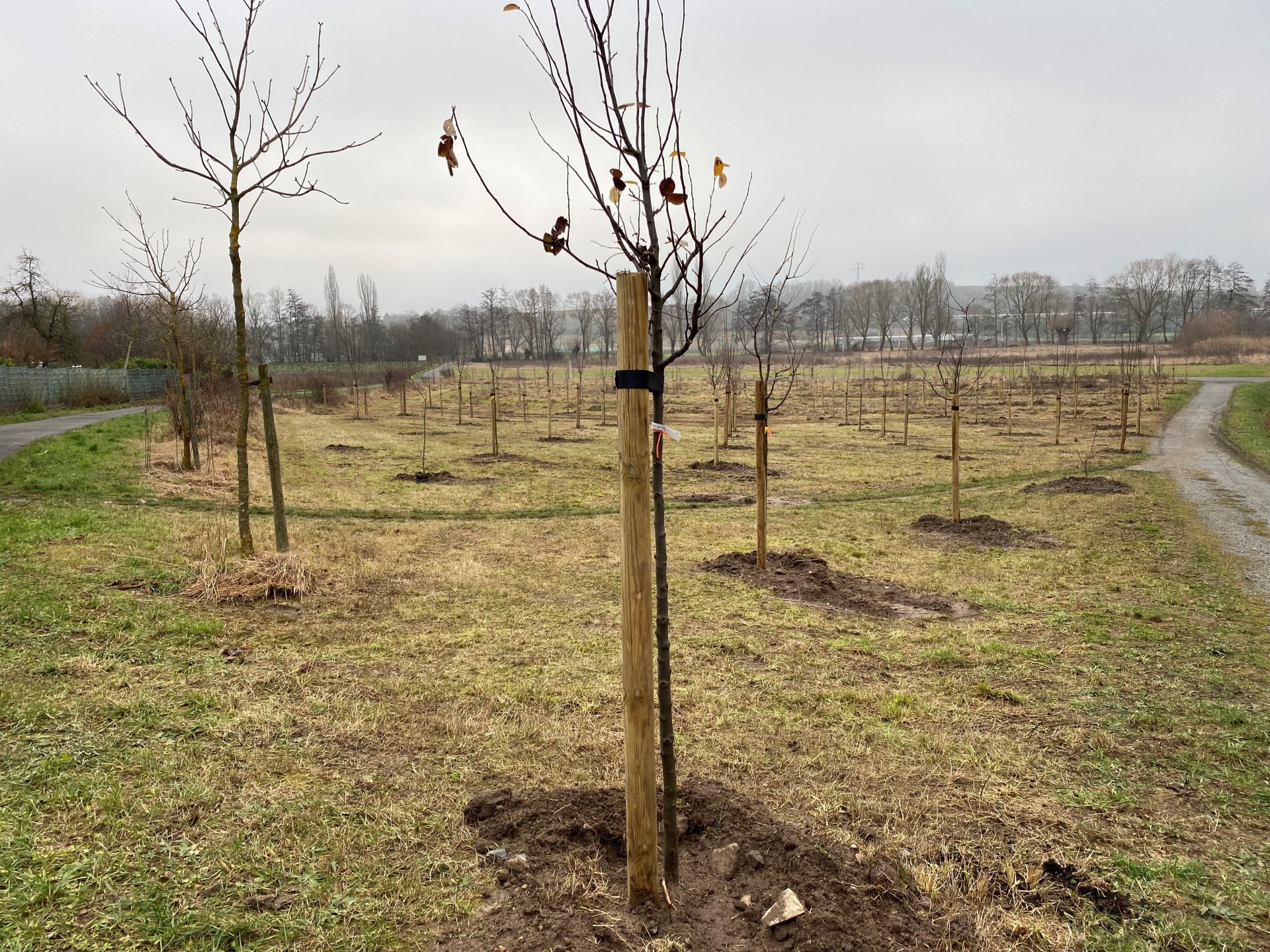
Orchard meadow in Kitzingen
Diese Seite wurde automatisch übersetzt. Es kann daher zu Abweichungen oder Ungenauigkeiten im Text kommen. Verbindlich ist ausschließlich die Originalfassung. Rechtsansprüche aus Inhalten der übersetzten Version sind ausgeschlossen.

Orchard meadow

On 6 December 2021, Environment Officer Uwe Hartmann inaugurated the city council's orchard. The city gardeners planted a total of 97 quince, plum, pear, cherry, mirabelle and apple trees on Kitzinger Weg. As soon as the trees bear fruit, they can be harvested by everyone.

More orchards

In addition to the city council's orchard, there are five other locations with fruit trees scattered around the city:

  • Johann-Adam-Kleinschroth-Straße
  • Garden show grounds, Mainbernheimer Str./B 8
  • Sickershausen, Marktstefter Weg
  • Nordtangente/ Alte Poststraße, near the car park
  • Repperndorf, farm track near the wind turbines

Yellow ribbon
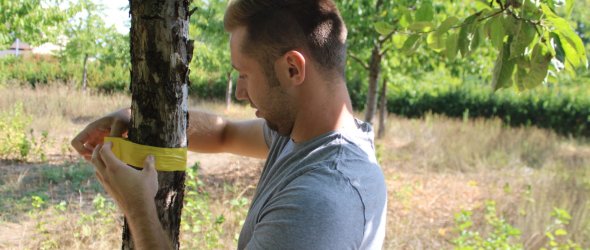
A municipal gardener attaches the yellow ribbon to a municipal fruit tree.

The city gardeners mark numerous fruit trees with a yellow ribbon. This colour is used throughout Germany to mark fruit trees from which fruit may be picked for personal use without consulting the owner. Fallen fruit may also be picked from underneath these trees free of charge. According to the Federal Ministry of Food and Agriculture, around eleven million tonnes of food along the entire food supply chain end up in the bin every year in Germany - the majority of which is fruit and vegetables. The "yellow ribbon" campaign is intended to help ensure that more fruit trees are harvested in Germany and that the fruit is also utilised.

In the district of Kitzingen, there are a large number of appropriately labelled trees along the cycle path towards Hohenfeld and around Sickershausen. But passers-by can also help themselves in the town area.

Tree sponsorship

Become a tree sponsor in the orchard!

Citizens can sponsor a tree in the orchard meadow for a fixed donation amount.

Help with accessibility

  • General

    We endeavour to make our website accessible. You can find details on this in our accessibility statement. You can send us suggestions for improvement via our feedback form Report accessibility.

  • Font size

    To adjust the font size, please use the following key combinations:

    Larger

    command
    +

    Smaller

    command

    Larger

    Ctrl
    +

    Smaller

    Ctrl
  • Keyboard navigation

    Use TAB and SHIFT + TAB to navigate through next/previous links, form elements, and buttons.

    Use ENTER to open links and interact with elements.

  • Contrast mode

    Press the following key combination to reduce or increase the contrast:

    Enlarge

    control
    option
    command
    .

    Decrease

    control
    option
    command
    ,
    Note: The shortcuts must be activated in the system settings of the operating system.

    Press the left ALT key + left SHIFT key + PRINT to quickly turn high contrast mode on or off.

  • Invert colours

    Press the following key combination to switch the colour inversion on and off:

    control
    option
    command
    8
    Note: The shortcuts must be activated in the system settings of the operating system.

    First activate the screen magnifier and then switch the colour inversion on and off with the following key combinations:

    1. screen magnifier

    +

    2. invert colours

    Ctrl
    Old
    I
  • Screen magnifier

    Press the following key combinations to use the screen magnifier:

    Switch on/off

    option
    command
    8

    Enlarge view

    option
    command
    =

    Zoom out view

    option
    command
    Note: The shortcuts must be activated in the system settings of the operating system.

    Switch on / Enlarge view

    +

    Zoom out view

Select language