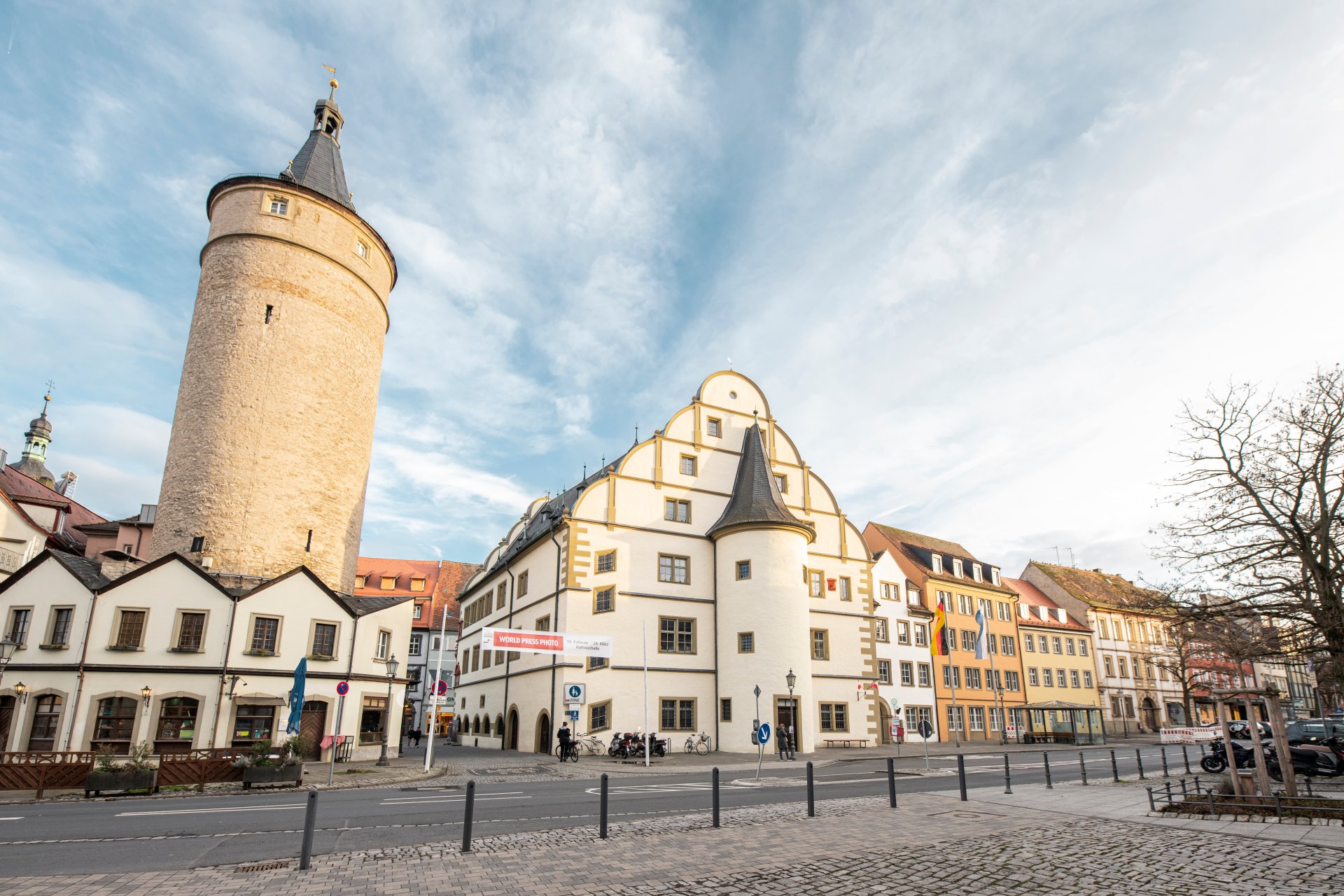
Market tower next to the historic town hall and the adjoining city administration in the other buildings.
Diese Seite wurde automatisch übersetzt. Es kann daher zu Abweichungen oder Ungenauigkeiten im Text kommen. Verbindlich ist ausschließlich die Originalfassung. Rechtsansprüche aus Inhalten der übersetzten Version sind ausgeschlossen.

City administration

As a local authority, we make sure that all families and children feel at home in our town. You can register with us, get ID cards and passports or register births and weddings. We also take care of daycare centres, schools and leisure activities so that young and old alike have plenty to discover. We plan the city's building projects, look after playgrounds, parks and clean streets and ensure that everything is safe and tidy. We also support families, senior citizens and anyone who needs help, and organise elections and co-determination so that every vote counts.

Our 350 or so dedicated employees are there for you in many places in the town. In addition to the town hall, these include the building authority, the town library, the Kitzingen adult education centre and jungStil. Our city archive, the Alte Synagoge cultural centre, the Kitzingen-Siedlung neighbourhood management and the building yard with the city nursery are also part of our city administration.

We are present wherever life in our city is shaped, nurtured and enriched 💛
Tenders & announcements

More

Notes on electronic invoices

Companies and organisations can send digital invoices directly to the City of Kitzingen’s central email address for e-invoices: rechnung@stadt-kitzingen.de


Route ID

  • Overview of route ID (as of January 2025)

    Route IDOE designation
    09675141-1100000-83Administrative management
    09675141-0013000-40Legal department
    09675141-0014000-47Audit department
    09675141-0015000-54Public Relations department
    09675141-0016000-61EHS Management staff unit
    09675141-1100000-83Head office
    09675141-1110000-56Personnel, organisation
    09675141-1120000-29Information Technology (IT)
    09675141-1130000-02Kindergartens, schools, sport
    09675141-1140000-72Child and youth work (jungStil)
    09675141-1150000-45Archive
    09675141-1191910-27Adult education centre (vhs)
    09675141-1191920-94Old Synagogue Culture Centre
    09675141-1191930-64Library
    09675141-1191940-34Music school
    09675141-1191950-04Tourist information
    09675141-2200000-23Financial management
    09675141-2220000-66Tax administration
    09675141-2230000-39Property management
    09675141-3313110-15Fire brigade
    09675141-3313110-15Public safety & order
    09675141-3313120-82Municipal traffic monitoring
    09675141-3320000-06Registry office / cemetery
    09675141-3330000-76Residents
    09675141-6600000-74Building administration
    09675141-6606010-86Central building management
    09675141-6610000-47Urban planning
    09675141-6620000-20Building construction
    09675141-6630000-90Civil engineering
    09675141-6636310-75Building yard
    09675141-6636320-45Garden centre/cemeteries
    09675141-6636330-15Sewage treatment plant
    09675141-6640000-63Building regulations

Help with accessibility

  • General

    We endeavour to make our website accessible. You can find details on this in our accessibility statement. You can send us suggestions for improvement via our feedback form Report accessibility.

  • Font size

    To adjust the font size, please use the following key combinations:

    Larger

    command
    +

    Smaller

    command

    Larger

    Ctrl
    +

    Smaller

    Ctrl
  • Keyboard navigation

    Use TAB and SHIFT + TAB to navigate through next/previous links, form elements, and buttons.

    Use ENTER to open links and interact with elements.

  • Contrast mode

    Press the following key combination to reduce or increase the contrast:

    Enlarge

    control
    option
    command
    .

    Decrease

    control
    option
    command
    ,
    Note: The shortcuts must be activated in the system settings of the operating system.

    Press the left ALT key + left SHIFT key + PRINT to quickly turn high contrast mode on or off.

  • Invert colours

    Press the following key combination to switch the colour inversion on and off:

    control
    option
    command
    8
    Note: The shortcuts must be activated in the system settings of the operating system.

    First activate the screen magnifier and then switch the colour inversion on and off with the following key combinations:

    1. screen magnifier

    +

    2. invert colours

    Ctrl
    Old
    I
  • Screen magnifier

    Press the following key combinations to use the screen magnifier:

    Switch on/off

    option
    command
    8

    Enlarge view

    option
    command
    =

    Zoom out view

    option
    command
    Note: The shortcuts must be activated in the system settings of the operating system.

    Switch on / Enlarge view

    +

    Zoom out view

Select language