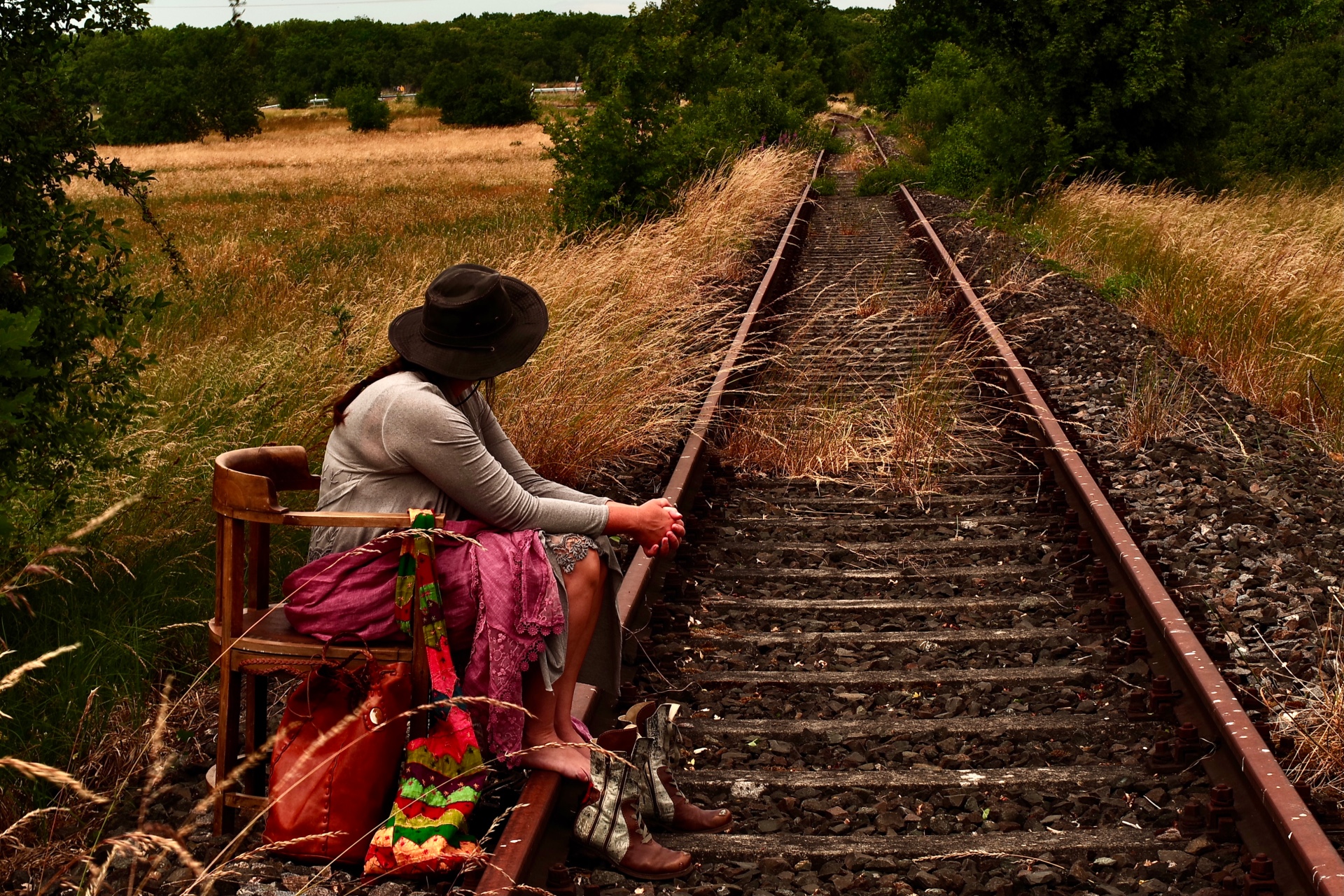
A woman is sitting by some disused railway tracks.

1st place | 2023

"On the way back home" by Eddi Kieser | Theme: Return

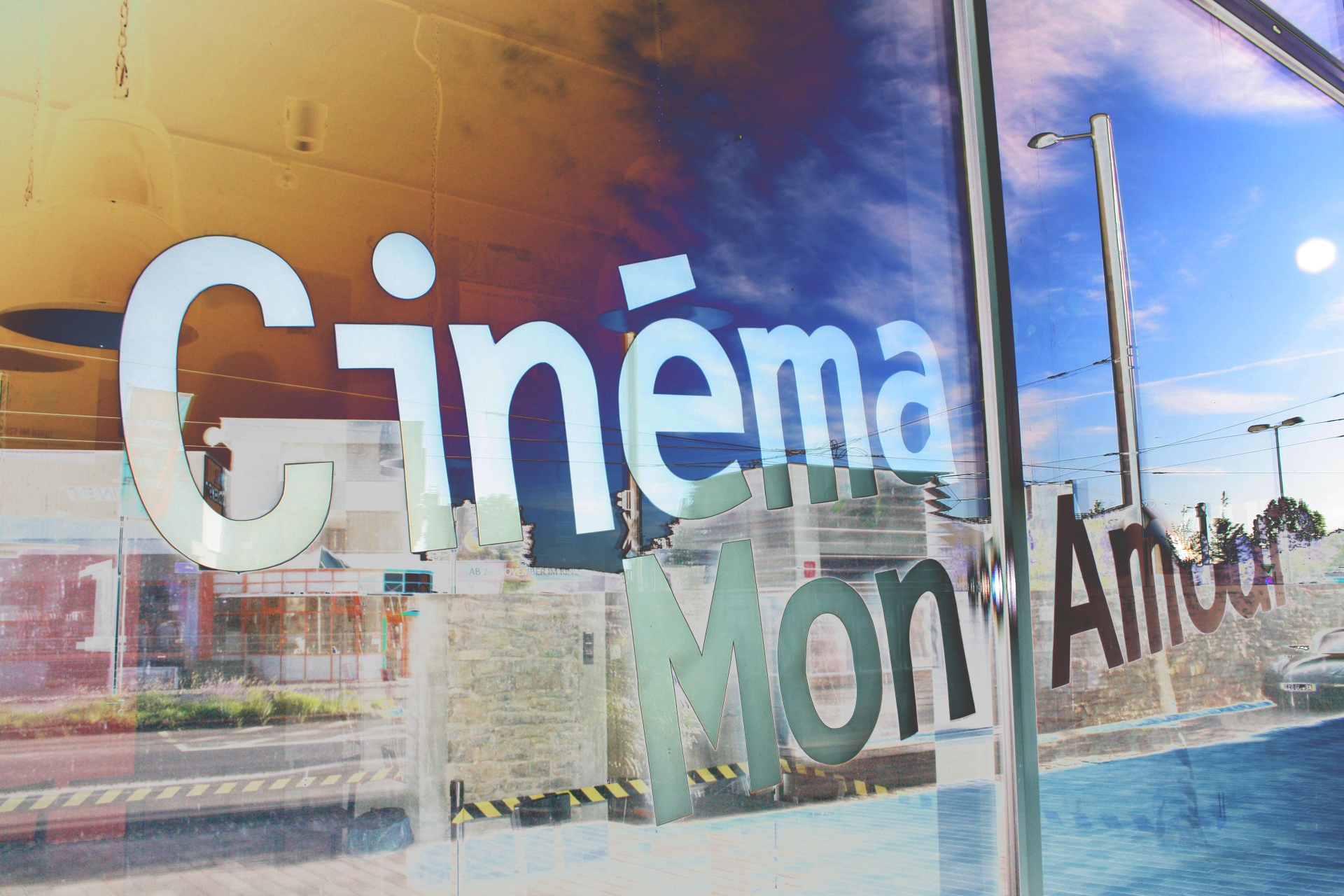
The words ‘Cinéma mon Amour’ reflected in the window of the Bürgerbräu in Würzburg.

1st place | 2024

“Cinéma-Mon-Amour” by Harald Brenndörfer | Theme: Places of Longing

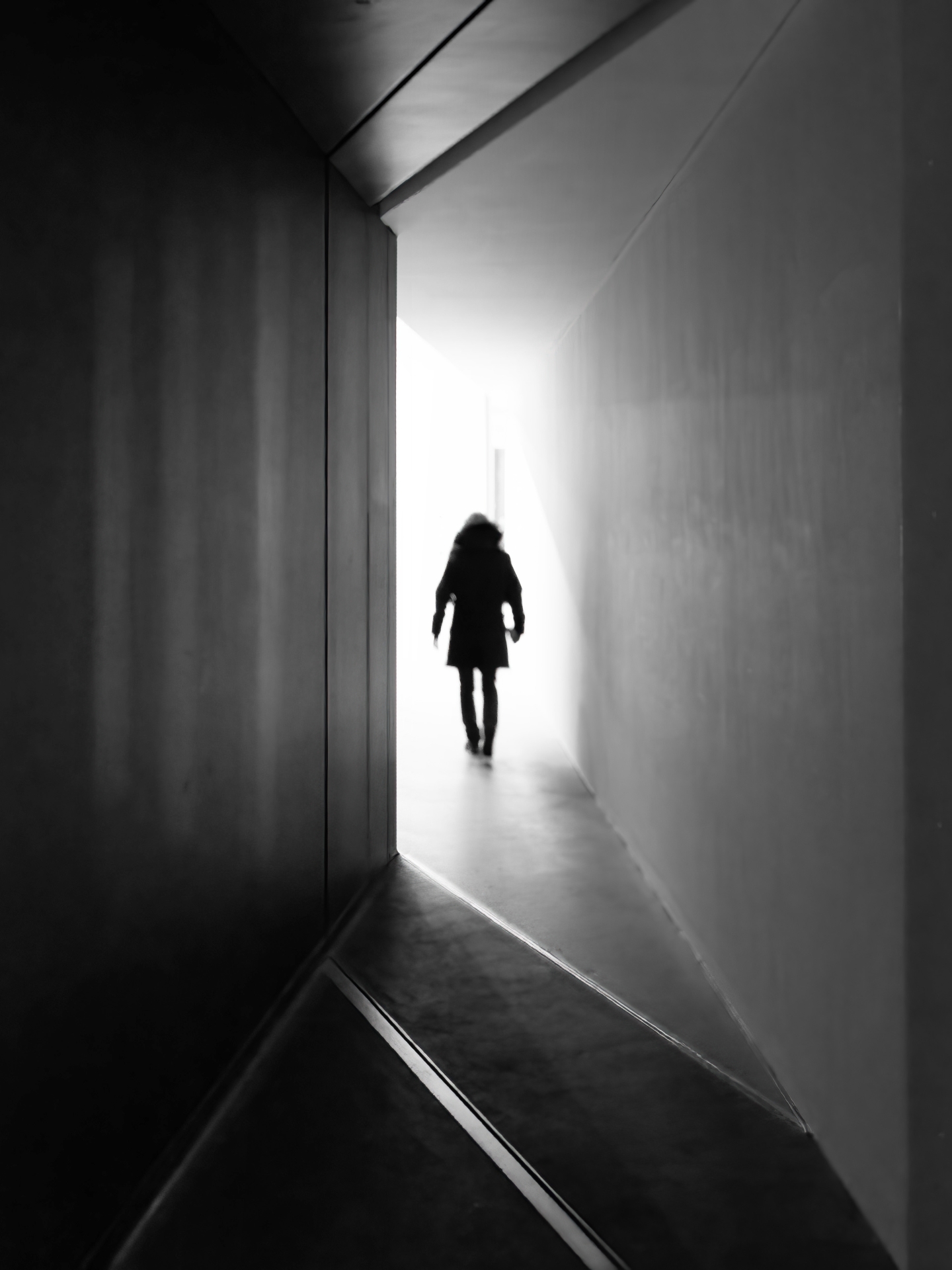
A person walks out of the shadows and towards the light inside a building.

1st place | 2025

‘Into the Light – Into Freedom’ by Ad van Wagensveld | Motto: Freedom

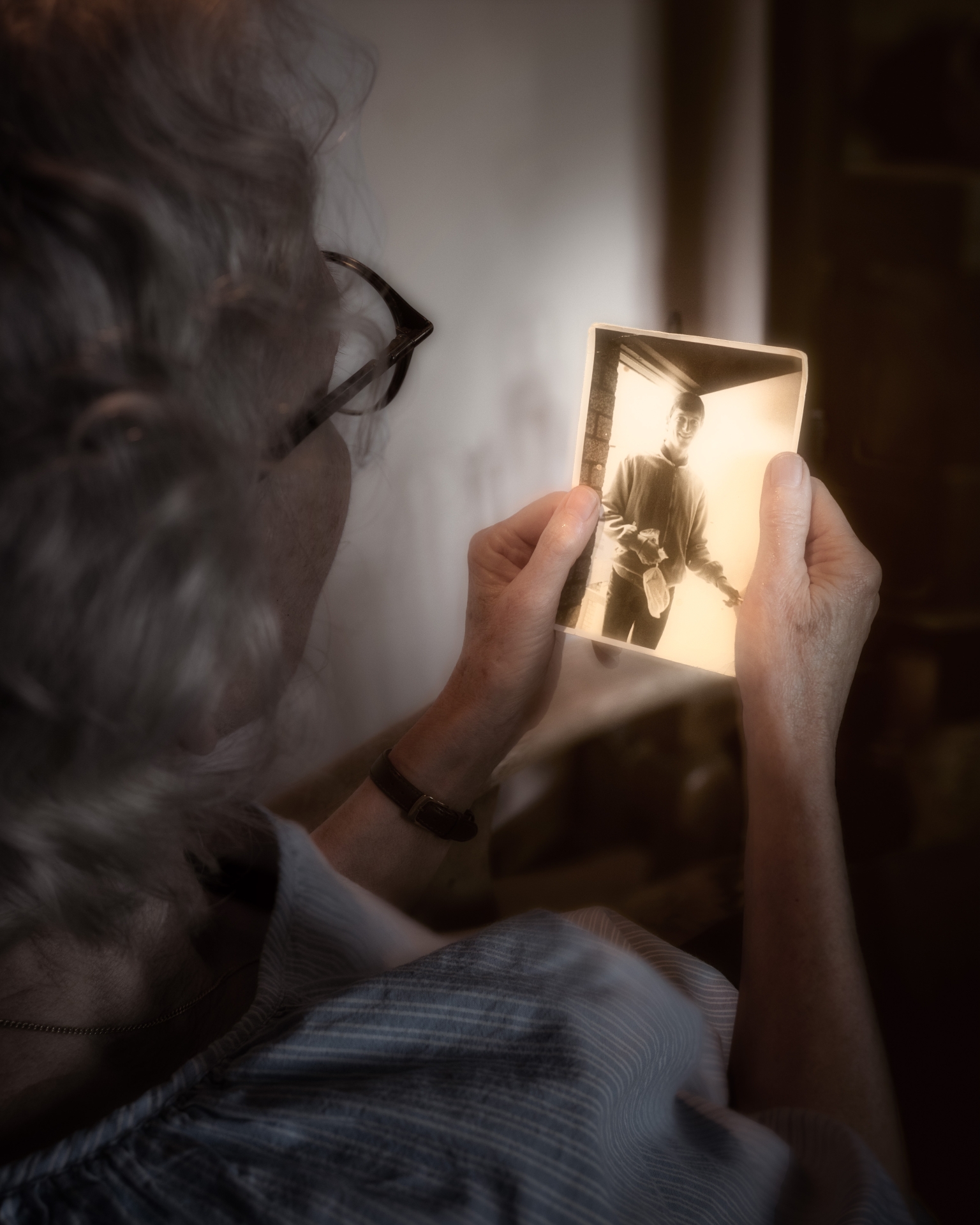
We’ve now been happily married for over 40 years!

1st place | 2026

‘My Love at 20’ by Ad van Wagensveld | Theme: 20

Diese Seite wurde automatisch übersetzt. Es kann daher zu Abweichungen oder Ungenauigkeiten im Text kommen. Verbindlich ist ausschließlich die Originalfassung. Rechtsansprüche aus Inhalten der übersetzten Version sind ausgeschlossen.

Photo & Video Competition

We’re celebrating the number 20 – and you’re part of it! Whether it’s a symbol of an anniversary, a special milestone in your life or simply a magic number: show us your most creative interpretation of 20 in a photo or video. Thank you very much for all your entries!

Winner 2026

Prices

  • Grand prize: 2 nights’ accommodation at a hotel in Kitzingen, 1 voucher for two people for Aqua Sole and 1 admission ticket for two people to the German Carnival Museum
  • 2nd prize: €100 in ‘Schexs in the City’ vouchers
  • 3rd prize: a €50 Aqua-Sole gift voucher
  • 4th prize: a €25 Aqua-Sole gift voucher
  • 5th–7th prize: World Press Photo catalogue
  • 8th–10th prize: Wine from the tour guide

Special prizes will be awarded from among the videos submitted.

Conditions of participation

1. Submissions

Max. 3 photos per person and max. 1 video (max. 1 minute long) with details

  • First name, surname, age
  • Address, telephone number, email
  • Titles and brief descriptions of the photos
  • Your consent to publication, including your copyright details

Please send the video and the photos by email, or the photos by post:

Town of Kitzingen – Reference: WPP
Photo Competition, Kaiserstraße
13/15, 97318
Kitzingen, Email: veranstaltung@stadt-kitzingen.de


2. Technical requirements

• Digital photos or image storage media (CDs), high-quality scans of slides and negatives•
No analogue images (e.g. slides, paper prints)
• As RAW files or
JPGs• Digital image editing is permitted


3. Copyright, rights of use and other rights

• You are the author/copyright holder of the photograph. The personal rights of any recognisable individuals must be respected. The photographs may be used free of charge for reporting purposes (the City of Kitzingen’s website, media, exhibitions, etc.)
• All files will be deleted after the competition; any CDs submitted will be destroyed•
The participant bears the risk of loss or damage to files or data storage media during transmission or dispatch

4. Jury

A panel of experts will decide on the award.


5. Final provisions

Entries that do not meet these conditions, or do not meet them in full, will be excluded from the competition. There is no right of appeal against the jury’s decision. By submitting an entry, the participant agrees to these conditions.

Help with accessibility

  • General

    We endeavour to make our website accessible. You can find details on this in our accessibility statement. You can send us suggestions for improvement via our feedback form Report accessibility.

  • Font size

    To adjust the font size, please use the following key combinations:

    Larger

    command
    +

    Smaller

    command

    Larger

    Ctrl
    +

    Smaller

    Ctrl
  • Keyboard navigation

    Use TAB and SHIFT + TAB to navigate through next/previous links, form elements, and buttons.

    Use ENTER to open links and interact with elements.

  • Contrast mode

    Press the following key combination to reduce or increase the contrast:

    Enlarge

    control
    option
    command
    .

    Decrease

    control
    option
    command
    ,
    Note: The shortcuts must be activated in the system settings of the operating system.

    Press the left ALT key + left SHIFT key + PRINT to quickly turn high contrast mode on or off.

  • Invert colours

    Press the following key combination to switch the colour inversion on and off:

    control
    option
    command
    8
    Note: The shortcuts must be activated in the system settings of the operating system.

    First activate the screen magnifier and then switch the colour inversion on and off with the following key combinations:

    1. screen magnifier

    +

    2. invert colours

    Ctrl
    Old
    I
  • Screen magnifier

    Press the following key combinations to use the screen magnifier:

    Switch on/off

    option
    command
    8

    Enlarge view

    option
    command
    =

    Zoom out view

    option
    command
    Note: The shortcuts must be activated in the system settings of the operating system.

    Switch on / Enlarge view

    +

    Zoom out view

Select language