Diese Seite wurde automatisch übersetzt. Es kann daher zu Abweichungen oder Ungenauigkeiten im Text kommen. Verbindlich ist ausschließlich die Originalfassung. Rechtsansprüche aus Inhalten der übersetzten Version sind ausgeschlossen.

Aid project

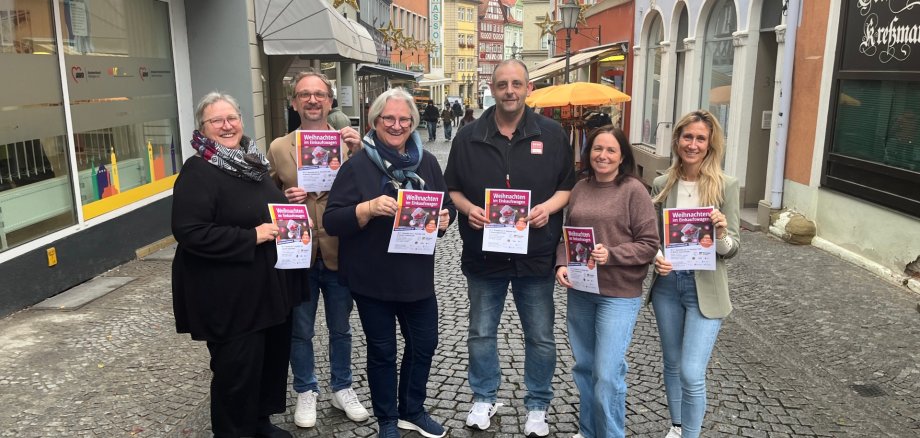
Christmas in a shopping trolley

It is an initiative based on a deep sense of solidarity – organised by the people of Kitzingen for fellow residents who are struggling. Thanks to the ‘Christmas in a Shopping Trolley’ campaign and the many donors, all those in our town who are struggling can still look forward to a wonderful Christmas.

The campaign has now been running for six years. Three Kitzing grocery stores – E-Center, Edeka Waigandt and REWE Roppelt on Dagmar-Voßkühler-Straße – are taking part again this year. The shopping trolleys will be available there from 27 November. Anyone wishing to help those in need can place basic foodstuffs in a trolley as a donation. Store managers report that some customers have already been asking in October whether the campaign will be running again this year. Over the course of the four weeks or so leading up to the distribution on 22 December, a great deal is traditionally collected: boxes full of pre-packaged food, as well as toys and sweets.

For the past four years, pupils from St Hedwig Primary School, Friedrich Bernbeck School and Marktbreit Secondary School have also been actively involved in the campaign, collecting donations. The Aplawia charity shop accepts donations in the form of books and toys in good condition. “The idea has really caught on,” says co-initiator Astrid Glos happily. Many organisations are taking part. This includes the Kitzingen Lions Club, which donates a large sum of money for sweets every year. If required, Hildegard Töpfer’s charity ‘Empathie – Helfen mit Herz und Verstand’ also contributes fresh food.

Every year, the queue at the distribution event stretches from senior citizens to single mothers and their children. This year, it will take place on Tuesday 22 December, from 10.30 am at the Deanery Centre. Every year, people start queuing there as early as 8.00 am to stock up on food or toys as potential Christmas presents. Around ten volunteers are responsible for distributing the goods; helpers to set up the venue are welcome and can contact Astrid Glos, Tel. 0151/42606582. Donations are also welcome: IBAN: DE 05 7905 0000 0042 0674 96, Sparkasse Mainfranken.

Help with accessibility

  • General

    We endeavour to make our website accessible. You can find details on this in our accessibility statement. You can send us suggestions for improvement via our feedback form Report accessibility.

  • Font size

    To adjust the font size, please use the following key combinations:

    Larger

    ⌘command
    +

    Smaller

    ⌘command
    –

    Larger

    Ctrl
    +

    Smaller

    Ctrl
    –
  • Keyboard navigation

    Use TAB and SHIFT + TAB to navigate through next/previous links, form elements, and buttons.

    Use ENTER to open links and interact with elements.

  • Contrast mode

    Press the following key combination to reduce or increase the contrast:

    Enlarge

    ⌃control
    ⌥option
    ⌘command
    .

    Decrease

    ⌃control
    ⌥option
    ⌘command
    ,
    Note: The shortcuts must be activated in the system settings of the operating system.

    Press the left ALT key + left SHIFT key + PRINT to quickly turn high contrast mode on or off.

  • Invert colours

    Press the following key combination to switch the colour inversion on and off:

    ⌃control
    ⌥option
    ⌘command
    8
    Note: The shortcuts must be activated in the system settings of the operating system.

    First activate the screen magnifier and then switch the colour inversion on and off with the following key combinations:

    1. screen magnifier

    +

    2. invert colours

    Ctrl
    Old
    I
  • Screen magnifier

    Press the following key combinations to use the screen magnifier:

    Switch on/off

    ⌥option
    ⌘command
    8

    Enlarge view

    ⌥option
    ⌘command
    =

    Zoom out view

    ⌥option
    ⌘command
    –
    Note: The shortcuts must be activated in the system settings of the operating system.

    Switch on / Enlarge view

    +

    Zoom out view

    –