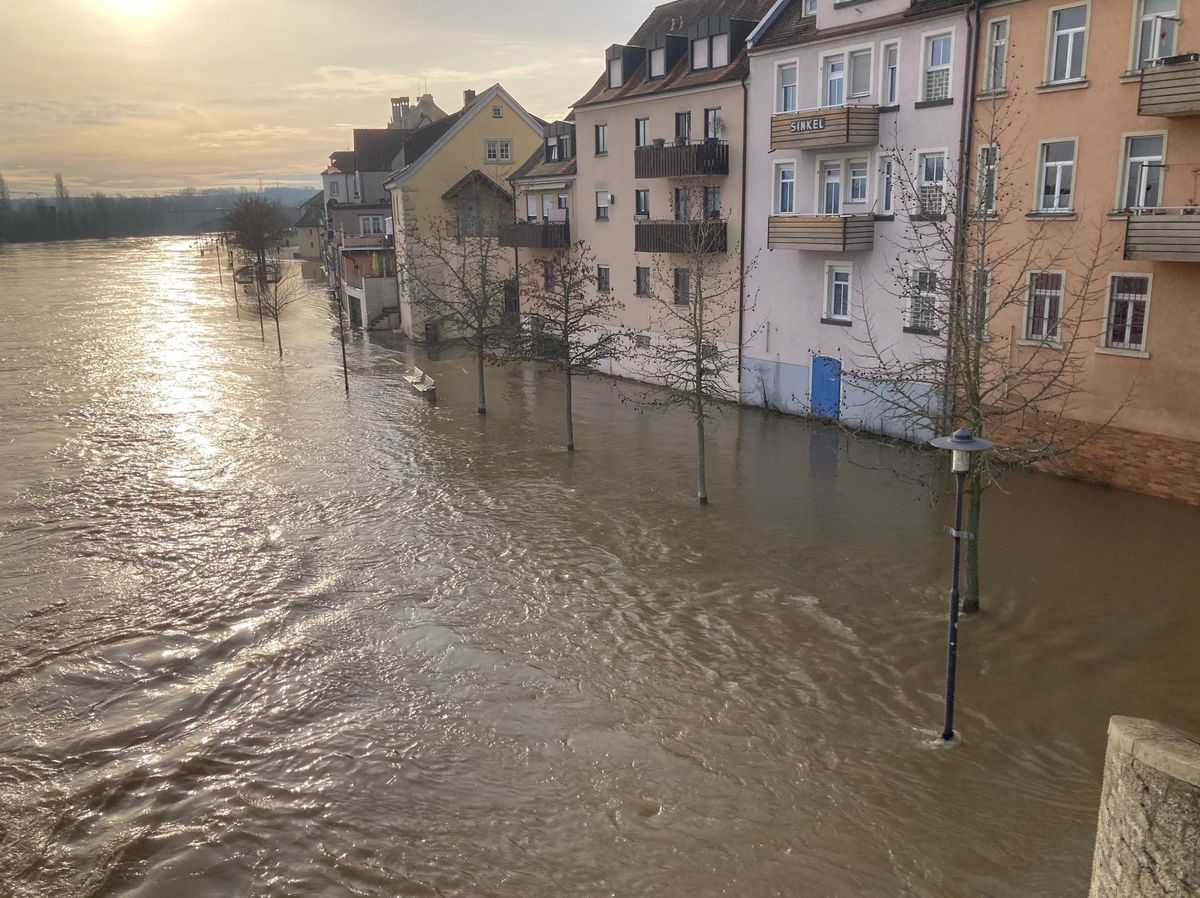
Well below the Old Main Bridge, the Main bursts its banks and floods the Mainkai right up to the walls of the houses.
Diese Seite wurde automatisch übersetzt. Es kann daher zu Abweichungen oder Ungenauigkeiten im Text kommen. Verbindlich ist ausschließlich die Originalfassung. Rechtsansprüche aus Inhalten der übersetzten Version sind ausgeschlossen.

Flood

Once the water level reaches 2.70 m, this page will be updated regularly. At this level, the first flood-control measures will be put in place.

Flood information: 09321/ 20-3110

Flooding can cause enormous financial losses and put lives at risk. Early warning can significantly reduce flood damage and the associated risks.

Flood Information Service

Flooding can cause enormous financial losses and put lives at risk. Early warning can significantly reduce flood damage and the associated risks.

The Flood Information Service uses rainfall and discharge measurements to produce forecasts and warnings, which are relayed to the relevant authorities and emergency services, and the public and the media are kept informed. Rainfall reports and water levels are collected and analysed by the water management authorities. The warnings are relayed to the local authorities via the district offices and independent towns. The local authorities inform the affected residents and take the necessary protective measures. Members of the public can contact their local authority for information on the local situation.

A regional flood situation report is

  • at the State Office for the Environment by telephone: 089/ 9214-1588
  • in the teletext service of Bayerischer Rundfunk about Tafel 647 and
  • on the internet at www.hnd.bayern.de

available.

The website provides further information on water levels and links to other sources of information, such as the German Weather Service.
Useful information

Help with accessibility

  • General

    We endeavour to make our website accessible. You can find details on this in our accessibility statement. You can send us suggestions for improvement via our feedback form Report accessibility.

  • Font size

    To adjust the font size, please use the following key combinations:

    Larger

    command
    +

    Smaller

    command

    Larger

    Ctrl
    +

    Smaller

    Ctrl
  • Keyboard navigation

    Use TAB and SHIFT + TAB to navigate through next/previous links, form elements, and buttons.

    Use ENTER to open links and interact with elements.

  • Contrast mode

    Press the following key combination to reduce or increase the contrast:

    Enlarge

    control
    option
    command
    .

    Decrease

    control
    option
    command
    ,
    Note: The shortcuts must be activated in the system settings of the operating system.

    Press the left ALT key + left SHIFT key + PRINT to quickly turn high contrast mode on or off.

  • Invert colours

    Press the following key combination to switch the colour inversion on and off:

    control
    option
    command
    8
    Note: The shortcuts must be activated in the system settings of the operating system.

    First activate the screen magnifier and then switch the colour inversion on and off with the following key combinations:

    1. screen magnifier

    +

    2. invert colours

    Ctrl
    Old
    I
  • Screen magnifier

    Press the following key combinations to use the screen magnifier:

    Switch on/off

    option
    command
    8

    Enlarge view

    option
    command
    =

    Zoom out view

    option
    command
    Note: The shortcuts must be activated in the system settings of the operating system.

    Switch on / Enlarge view

    +

    Zoom out view

Select language