Diese Seite wurde automatisch übersetzt. Es kann daher zu Abweichungen oder Ungenauigkeiten im Text kommen. Verbindlich ist ausschließlich die Originalfassung. Rechtsansprüche aus Inhalten der übersetzten Version sind ausgeschlossen.

The event

70 years of the Roxy Cinema

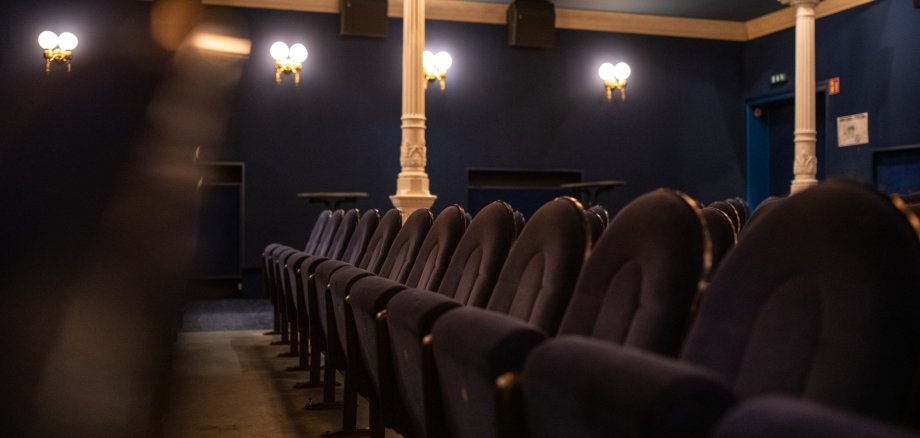
It’s a milestone birthday – and the celebrations promise to be a real treat. The Roxy Cinema first opened its doors 70 years ago. There will be a week of celebrations in early December. Nostalgic film buffs and modern-day cinema lovers alike are sure to be in for a treat. Each decade of the Roxy’s eventful history will be celebrated in style on a specific day, from the 1950s right through to the 2010s. “There’ll be a well-known film from each era and typical drinks,” says Christine Jenike. Live music is also on the programme. Two bands will play the biggest hits of each era: ‘Restart’ and ‘Roxy Underground’. The latter rehearse in the vaulted cellar of the Roxy complex, the former third cinema auditorium. Throughout the week, there will also be an exhibition in the foyer featuring interesting artefacts from the last 70 years.

Info: The anniversary week will take place from 6 to 13 March. The opening event – which is also the 1950s-themed event – will take place on Sunday 6 December at 6 pm. This is an internal event – all other days are open to the public. The full programme can be found at www.dasroxy.de. Admission per event: five euros.

Help with accessibility

  • General

    We endeavour to make our website accessible. You can find details on this in our accessibility statement. You can send us suggestions for improvement via our feedback form Report accessibility.

  • Font size

    To adjust the font size, please use the following key combinations:

    Larger

    ⌘command
    +

    Smaller

    ⌘command
    –

    Larger

    Ctrl
    +

    Smaller

    Ctrl
    –
  • Keyboard navigation

    Use TAB and SHIFT + TAB to navigate through next/previous links, form elements, and buttons.

    Use ENTER to open links and interact with elements.

  • Contrast mode

    Press the following key combination to reduce or increase the contrast:

    Enlarge

    ⌃control
    ⌥option
    ⌘command
    .

    Decrease

    ⌃control
    ⌥option
    ⌘command
    ,
    Note: The shortcuts must be activated in the system settings of the operating system.

    Press the left ALT key + left SHIFT key + PRINT to quickly turn high contrast mode on or off.

  • Invert colours

    Press the following key combination to switch the colour inversion on and off:

    ⌃control
    ⌥option
    ⌘command
    8
    Note: The shortcuts must be activated in the system settings of the operating system.

    First activate the screen magnifier and then switch the colour inversion on and off with the following key combinations:

    1. screen magnifier

    +

    2. invert colours

    Ctrl
    Old
    I
  • Screen magnifier

    Press the following key combinations to use the screen magnifier:

    Switch on/off

    ⌥option
    ⌘command
    8

    Enlarge view

    ⌥option
    ⌘command
    =

    Zoom out view

    ⌥option
    ⌘command
    –
    Note: The shortcuts must be activated in the system settings of the operating system.

    Switch on / Enlarge view

    +

    Zoom out view

    –