Diese Seite wurde automatisch übersetzt. Es kann daher zu Abweichungen oder Ungenauigkeiten im Text kommen. Verbindlich ist ausschließlich die Originalfassung. Rechtsansprüche aus Inhalten der übersetzten Version sind ausgeschlossen.

Kurs

Aktiv fürs eigene Wohlbefinden

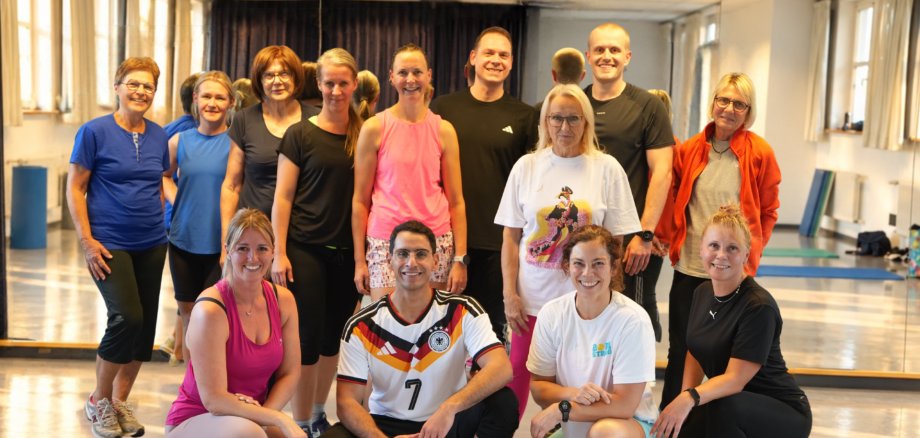
Wie sich Bewegung und Gesundheitsförderung verbinden lassen, zeigte ein besonderes Kursangebot der vhs Kitzingen am Montag, 12. Oktober. Im Rahmen des Bayerischen Präventionstages 2026 nahmen 14 Personen an einer gemeinsamen HIIT-Trainingseinheit (High Intensity Interval Training) unter der Leitung von Oberbürgermeister Dr. Enis Tiz teil.

Beim Intervalltraining sorgten dynamische Bewegungseinheiten und kurze Erholungsphasen für ein abwechslungsreiches Training. Im Mittelpunkt stand die Freude an Bewegung und die Bedeutung eines aktiven Lebensstils für die Gesundheit und das persönliche Wohlbefinden. Mit dem Kurs setzte die vhs Kitzingen ein Zeichen für die Bedeutung von Prävention und Gesundheitsbildung. Das Angebot zeigt zugleich, wie die Volkshochschule mit praxisnahen Kursen dazu einlädt, selbst aktiv zu werden und etwas für die eigene Gesundheit zu tun.

Die vhs Kitzingen bietet zahlreiche weitere Kurse im Bereich Gesundheit an – von Bewegung bis hin zu Entspannung. Das vielfältige Angebot lädt dazu ein, aktiv etwas für das eigene Wohlbefinden zu tun. Weitere Informationen unter www.vhs-kitzingen.de

Help with accessibility

  • General

    We endeavour to make our website accessible. You can find details on this in our accessibility statement. You can send us suggestions for improvement via our feedback form Report accessibility.

  • Font size

    To adjust the font size, please use the following key combinations:

    Larger

    ⌘command
    +

    Smaller

    ⌘command
    –

    Larger

    Ctrl
    +

    Smaller

    Ctrl
    –
  • Keyboard navigation

    Use TAB and SHIFT + TAB to navigate through next/previous links, form elements, and buttons.

    Use ENTER to open links and interact with elements.

  • Contrast mode

    Press the following key combination to reduce or increase the contrast:

    Enlarge

    ⌃control
    ⌥option
    ⌘command
    .

    Decrease

    ⌃control
    ⌥option
    ⌘command
    ,
    Note: The shortcuts must be activated in the system settings of the operating system.

    Press the left ALT key + left SHIFT key + PRINT to quickly turn high contrast mode on or off.

  • Invert colours

    Press the following key combination to switch the colour inversion on and off:

    ⌃control
    ⌥option
    ⌘command
    8
    Note: The shortcuts must be activated in the system settings of the operating system.

    First activate the screen magnifier and then switch the colour inversion on and off with the following key combinations:

    1. screen magnifier

    +

    2. invert colours

    Ctrl
    Old
    I
  • Screen magnifier

    Press the following key combinations to use the screen magnifier:

    Switch on/off

    ⌥option
    ⌘command
    8

    Enlarge view

    ⌥option
    ⌘command
    =

    Zoom out view

    ⌥option
    ⌘command
    –
    Note: The shortcuts must be activated in the system settings of the operating system.

    Switch on / Enlarge view

    +

    Zoom out view

    –