Diese Seite wurde automatisch übersetzt. Es kann daher zu Abweichungen oder Ungenauigkeiten im Text kommen. Verbindlich ist ausschließlich die Originalfassung. Rechtsansprüche aus Inhalten der übersetzten Version sind ausgeschlossen.

Traffic

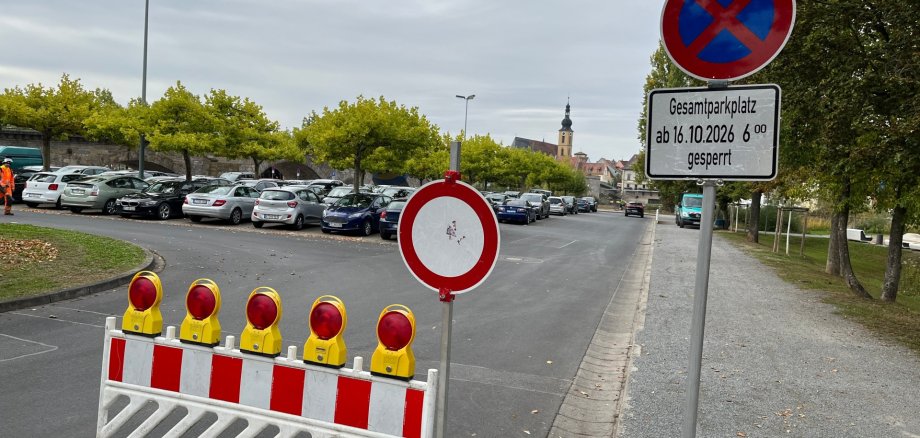
Parken am Kirchweihwochenende

Die Etwashäuser Kirchweih“ wird am Wochenende wieder tausende Schaulustige anziehen. Autofahrer müssen mit Beeinträchtigungen rechnen. Der Parkplatz am Bleichwasen wird von Freitagvormittag, 16. Oktober, bis Sonntagabend, 18. Oktober, komplett gesperrt sein. Hintergrund: Der Kirchweihbaum wird freitags am „Kroneneck“ aufgestellt. Die Zu- und Abfahrt über die Straße „Am Bleichwasen“ ist wegen der dortigen Arbeiten am Schotterparkplatz ebenfalls nicht möglich.

Am Sonntagnachmittag ist die Mainbernheimer Straße wegen des Kirchweihumzuges gesperrt. Der hintere Parkplatz am Bleichwasen (Standort der Sommerkonzerte) ist bis einschließlich 25. Oktober Schauplatz für den Rummel. Erst wenn die Fahrgeschäfte abgebaut sind, kann er wieder genutzt werden. Ausweichparkplätze für das Festwochenende stehen beispielsweise am Freibad oder am „Fehrer-Kreisel“ zur Verfügung.

Help with accessibility

  • General

    We endeavour to make our website accessible. You can find details on this in our accessibility statement. You can send us suggestions for improvement via our feedback form Report accessibility.

  • Font size

    To adjust the font size, please use the following key combinations:

    Larger

    ⌘command
    +

    Smaller

    ⌘command
    –

    Larger

    Ctrl
    +

    Smaller

    Ctrl
    –
  • Keyboard navigation

    Use TAB and SHIFT + TAB to navigate through next/previous links, form elements, and buttons.

    Use ENTER to open links and interact with elements.

  • Contrast mode

    Press the following key combination to reduce or increase the contrast:

    Enlarge

    ⌃control
    ⌥option
    ⌘command
    .

    Decrease

    ⌃control
    ⌥option
    ⌘command
    ,
    Note: The shortcuts must be activated in the system settings of the operating system.

    Press the left ALT key + left SHIFT key + PRINT to quickly turn high contrast mode on or off.

  • Invert colours

    Press the following key combination to switch the colour inversion on and off:

    ⌃control
    ⌥option
    ⌘command
    8
    Note: The shortcuts must be activated in the system settings of the operating system.

    First activate the screen magnifier and then switch the colour inversion on and off with the following key combinations:

    1. screen magnifier

    +

    2. invert colours

    Ctrl
    Old
    I
  • Screen magnifier

    Press the following key combinations to use the screen magnifier:

    Switch on/off

    ⌥option
    ⌘command
    8

    Enlarge view

    ⌥option
    ⌘command
    =

    Zoom out view

    ⌥option
    ⌘command
    –
    Note: The shortcuts must be activated in the system settings of the operating system.

    Switch on / Enlarge view

    +

    Zoom out view

    –