Diese Seite wurde automatisch übersetzt. Es kann daher zu Abweichungen oder Ungenauigkeiten im Text kommen. Verbindlich ist ausschließlich die Originalfassung. Rechtsansprüche aus Inhalten der übersetzten Version sind ausgeschlossen.

Tourism

Neuer Baum am Wohnmobilstellplatz

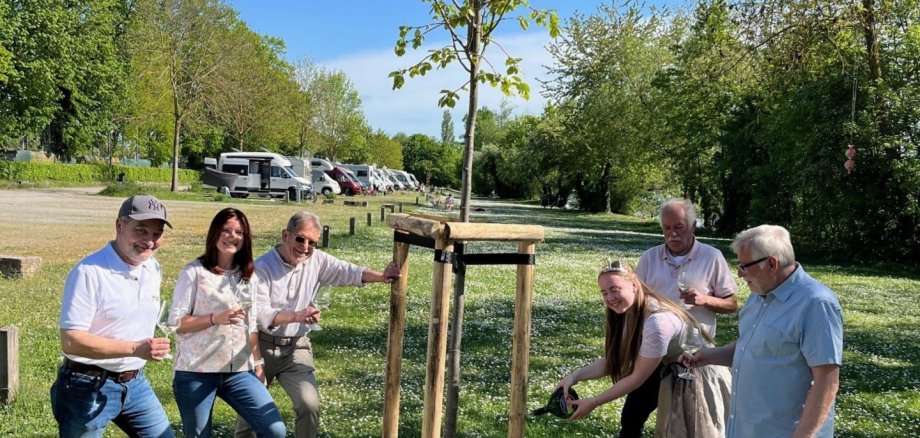
Vor drei Jahren wurde die Idee geboren. Dass sie prächtig wächst und gedeiht ist am Kitzinger Wohnmobilstellplatz gut zu beobachten.

Eine Amerikanische Linde ist dieser Tage von den Stadtgärtnern gepflanzt worden. Es ist bereits der zweite Baum, der auf dem Gelände gepflanzt wurde. „Weitere sollen folgen“, verkündete Kultur- und Tourismusreferent Walter Vierrether bei einer kleinen Feierstunde. Am Ende einer „WoMo-Saison“ und zur Etwashäuser Kirchweih steigt am mehrfach ausgezeichneten Platz zwischen Nordbrücke und Bleichwasen ein Fest für die vielen Gäste, inklusive einer Tombola. Gästeführer Detlef Hildebrand hatte die Idee, den Erlös für die Pflanzung eines Baumes zu verwenden. „So beschenken sich die Wohnmobilisten quasi selbst“, sagt TI-Leiterin Christina Richard. Wurde im letzten Jahr ein Amerikanischer Judasbaum am Eingang des Geländes gepflanzt, ist man heuer ein paar Meter weiter Richtung Pavillon und Nordbrücke gezogen. Von hier aus soll die „Hofrats-Allee“ Jahr für Jahr in Richtung Alter Mainbrücke wachsen. „Denn natürlich werden wir auch heuer im Herbst wieder ein WOMO-Fest mit Tombola ausrichten“, kündigt Vierrether an.

Help with accessibility

  • General

    We endeavour to make our website accessible. You can find details on this in our accessibility statement. You can send us suggestions for improvement via our feedback form Report accessibility.

  • Font size

    To adjust the font size, please use the following key combinations:

    Larger

    command
    +

    Smaller

    command

    Larger

    Ctrl
    +

    Smaller

    Ctrl
  • Keyboard navigation

    Use TAB and SHIFT + TAB to navigate through next/previous links, form elements, and buttons.

    Use ENTER to open links and interact with elements.

  • Contrast mode

    Press the following key combination to reduce or increase the contrast:

    Enlarge

    control
    option
    command
    .

    Decrease

    control
    option
    command
    ,
    Note: The shortcuts must be activated in the system settings of the operating system.

    Press the left ALT key + left SHIFT key + PRINT to quickly turn high contrast mode on or off.

  • Invert colours

    Press the following key combination to switch the colour inversion on and off:

    control
    option
    command
    8
    Note: The shortcuts must be activated in the system settings of the operating system.

    First activate the screen magnifier and then switch the colour inversion on and off with the following key combinations:

    1. screen magnifier

    +

    2. invert colours

    Ctrl
    Old
    I
  • Screen magnifier

    Press the following key combinations to use the screen magnifier:

    Switch on/off

    option
    command
    8

    Enlarge view

    option
    command
    =

    Zoom out view

    option
    command
    Note: The shortcuts must be activated in the system settings of the operating system.

    Switch on / Enlarge view

    +

    Zoom out view

Select language