Diese Seite wurde automatisch übersetzt. Es kann daher zu Abweichungen oder Ungenauigkeiten im Text kommen. Verbindlich ist ausschließlich die Originalfassung. Rechtsansprüche aus Inhalten der übersetzten Version sind ausgeschlossen.

Open consultation hours

Premiere im Rathaus war gut besucht

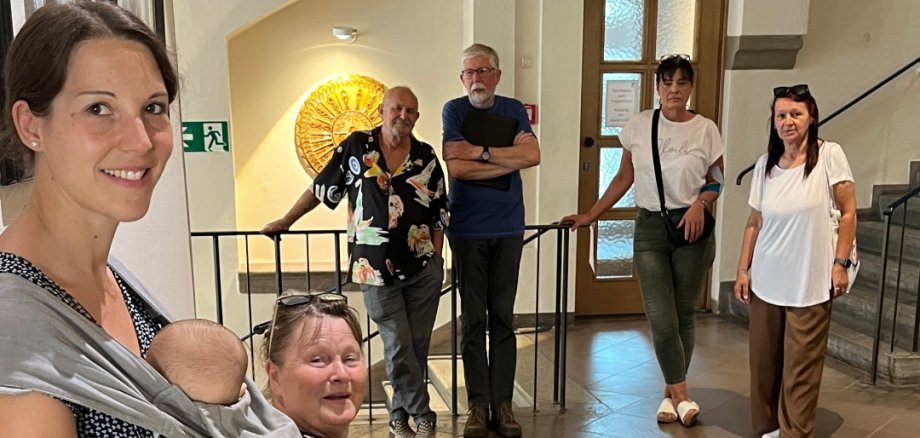
Die Premiere war gut besucht. Rund 15 Bürgerinnen und Bürger kamen zur ersten offenen Sprechstunde ins Rathaus der Stadt Kitzingen. Oberbürgermeister Dr. Enis Tiz hatte das neue Format zu Beginn seiner Amtszeit eingeführt. Jeden ersten Montag im Monat, von 14 bis 16 Uhr, sind alle Einwohnerinnen und Einwohner der Stadt mit ihren Stadtteilen willkommen, ihre Wünsche und Anregungen vorzutragen.

Vanessa Volkert war eine der ersten Gäste der offenen Sprechstunde. Die Leiterin der gfi GmbH Mittagsbetreuung an der Grundschule Siedlung zeigte sich von dem Angebot begeistert. Zwischenmenschliche Kommunikation auf direktem Wege sei immer besser als über E-Mail oder Telefon, meinte sie. Und so konnte sie dem Oberbürgermeister ihre Themen wie eine vorausschauende Planung bezüglich der Platzkapazitäten oder die Hitze in den Sommermonaten und vieles mehr ganz direkt, von Mensch zu Mensch, übermitteln. Andere Bürger informierten den OB über die Lärmsituation bezüglich aktueller Bauvorhaben oder regten Veränderungen im Straßenverkehr an. „Ich bin dankbar für die vielen Anregungen und Kritikpunkte“, meinte Dr. Enis Tiz nach rund zwei Stunden Sprechstunde. Im nächsten Schritt will er die einzelnen Punkte mit den jeweiligen Fachabteilungen beraten und – wo möglich – schnelle Lösungen finden.

Help with accessibility

  • General

    We endeavour to make our website accessible. You can find details on this in our accessibility statement. You can send us suggestions for improvement via our feedback form Report accessibility.

  • Font size

    To adjust the font size, please use the following key combinations:

    Larger

    command
    +

    Smaller

    command

    Larger

    Ctrl
    +

    Smaller

    Ctrl
  • Keyboard navigation

    Use TAB and SHIFT + TAB to navigate through next/previous links, form elements, and buttons.

    Use ENTER to open links and interact with elements.

  • Contrast mode

    Press the following key combination to reduce or increase the contrast:

    Enlarge

    control
    option
    command
    .

    Decrease

    control
    option
    command
    ,
    Note: The shortcuts must be activated in the system settings of the operating system.

    Press the left ALT key + left SHIFT key + PRINT to quickly turn high contrast mode on or off.

  • Invert colours

    Press the following key combination to switch the colour inversion on and off:

    control
    option
    command
    8
    Note: The shortcuts must be activated in the system settings of the operating system.

    First activate the screen magnifier and then switch the colour inversion on and off with the following key combinations:

    1. screen magnifier

    +

    2. invert colours

    Ctrl
    Old
    I
  • Screen magnifier

    Press the following key combinations to use the screen magnifier:

    Switch on/off

    option
    command
    8

    Enlarge view

    option
    command
    =

    Zoom out view

    option
    command
    Note: The shortcuts must be activated in the system settings of the operating system.

    Switch on / Enlarge view

    +

    Zoom out view

Select language